
Category: Tools

  • New Monetization Partner: Stagepass

    New Monetization Partner: Stagepass

    What is Stagepass?

    Stagepass is a marketplace for creatives to auction experiences to their audience. Creatives are podcasts hosts, and also include, but are not limited to: speakers, artists, authors, YouTubers, and thought leaders. Each host is verified by Stagepass to let audiences know that experiences with that person will be authentic. Once a host is verified they can link their bank account with Stripe and immediately begin auctioning experiences. Hosts can post as many experiences that they wish and provide pictures and videos to provide more content for bidders on that auction.

    Experiences can be in any format – in person, online, over the phone, or over any other medium. The key is that the experience is what the host makes it, and what their audience wants. For audiences, experiences satisfy an emotional need for deeper connection with hosts they have listened to for months and years. Podcast consumption is the most intimate medium, and listeners crave more than just one-directional flow of information – they want to get to know hosts better, tell hem what they like about the show, and experience something more meaningful and visceral than simply listening. Hosts have full control over the pricing structure and can set a starting and reserve price they are comfortable with.

    Stagepass was built so that hosts can focus on their craft full-time, by providing value to the people that love them most – their audience. This gives hosts the ability to spend all of their time thinking about their audience, rather than what sponsors want to see in their craft.

    Why Use Stagepass?

    Flexibility: A tool for hosts to make additional revenue when needed (or wanted). Auctions can be conducted over any period of time, which gives hosts an easy way to throttle income when necessary. If a host needs to make income quickly they can conduct a 24-hour auction. On the opposite end of the spectrum, if a host wants to create anticipation and build interest over time, they can create longer auction periods.

    Plays Well With Others: Stagepass is complimentary to other methods of income, including Patreon and sponsor support. Auctioning experiences does not take away from the value that Patreon supporters and sponsors derive from their relationship with the host. Patrons donate due to their appreciation of the art that the hosts create, and sponsorship value stems from the resonance that its products have on target audiences. Hosts can use all services simultaneously and satisfy the value experience of all of their monetization supporters. That said, Stagepass offers more value to audiences and supporters. With podcasting being the most intimate medium, listeners develop a sense of deep connection with hosts of shows, and desire to experience more with those people, in ways outside of the original medium. They crave connection beyond the show, hence the name Stagepass.

    Timing: Jump in early, it’s the right time to begin monetizing through experience. Over recent years the demand for unique experience has soared. In a recent study, Millennials, who are now the largest consumer segment of the market, have reported that 72% would spend money on experiences over anything else (Inc.). Listeners are wanting more than one-directional engagement and are looking for experience.

    Additional Benefits

    1. Hosts do not have to create additional content like Patreon.
    2. Users can create experiences that provide no preparation or follow-up.
    3. Experiences provide exponential returns with the auction system.
    4. Hosts can create as many auctions that they like.
    5. Users can avoid appealing to sponsors and focus on adding value to listeners.

    Read more here to learn about Stagepass and get started in the Make Money section of Blubrry’s Podcaster Dashboard.

  • 3 Reasons to Host Your Podcast With Blubrry

    3 Reasons to Host Your Podcast With Blubrry

    There are a plethora of podcast hosting companies out there today. Which, honestly, gets us excited. It means that there are more and more people getting into podcasting as a way to share their unique stories and perspectives with the world. It also excites us because—even as new entrants pop up—our podcast hosting platform continues to be second to none. Sure, there are some who offer everything for “free” and some who put their branding all over your hard work. Not Blubrry Podcasting. We believe you should own your brand, which is why we’ve built one of the most robust, flexible podcasting platforms available. With that in mind, here are 4 reasons to host your podcast with Blubrry:

    1. Video Podcast or Audio Podcast? Both! Honestly, storage space is storage space, and bandwidth is bandwidth, regardless of the file format. So, with Blubrry Podcast Hosting, you don’t need to decide ahead of time if you want to do audio podcasting, video podcasting, or a little of each. You can just focus on sharing your views with your audience in whichever format, at whatever time you feel is right. Video this week, audio next? Cool. And, as always, if you have any questions, our support team is only an email, phone call, or video chat away.
    2. Know your audience better than any other podcasting platform. Blubrry is the first and only podcast hosting company to have an IAB Tech Lab certified podcast stats platform. It’s really kind of a big deal because it means that your stats are on a platform that is certified to the highest standards in the industry. This means you can trust the numbers and your advertisers can trust the numbers. Even better? Blubrry now also offers partial download reporting to help you better understand how much of your content your audience is consuming, and if or when they tune out in an episode.
    3. A free podcast website. Yeah. Actually free, actually yours. With Blubrry WordPress Website, you get the power of one of the most widely used podcasting plugins for WordPress. For free. Blubrry WordPress Website makes it ridiculously easy to customize your website to make sure it’s on-brand for your podcast, plus it has all the robust functionality for publishing and syndicating that has made it the go-to for podcasters for more than a decade.

    Well, there you have it: 3 reasons to host your podcast with Blubrry Podcast Hosting. Granted, there are about a bazillion other reasons, but who has time to read all that? You’ve got a podcast to produce.

  • Blubrry Launches Post to Social For Twitter, YouTube and Facebook

    Your latest podcast episode is brilliant! Just like the ones before it. Now it’s time to push it out to your fan base and prospective new audiences. Everyone shares their new podcast episode on their social media accounts, right? If not, well, they should. That’s why we’re proud to introduce Post to Social, which enables Blubrry hosting podcasters to easily share their episodes on Twitter, YouTube and Facebook (with more options in the works).

    Post to Social for Twitter, YouTube and Facebook makes it easy to publish two-minute podcast clips of episodes or episode teasers to your social media accounts. By automatically publishing your episodes with P2S you’re giving listeners a short sample of your episode with an outro that encourages listeners to check out the full episode.

    The new feature provides you the capability to almost instantly post your entire show to Twitter because it enlists a Twitter audio card. And YouTube and Facebook will post the first two minutes of the episode: content creators can record an outro, driving listeners to the full episode on their own site.

    Studies show that YouTube and Facebook users are more likely to listen to a short audio segment versus a full audio segment, which is why we’ve created the podcast teasers with your outro. Your outro can be something such as, “Head over to [your podcast location] to hear the rest of this episode, and be sure to subscribe while you’re there.” This is a great way to drive traffic to your website or whatever destination you want your listeners to visit.

    Blubrry hosting users can use Post to Social now — instructions are posted on the Blubrry website. If you’re not yet hosting with us, sign up here to get the added benefit of Post to Social for your podcast.

  • Getting Wise About Podcasting

    Getting Wise About Podcasting

    PPPiTunesAlbumArt300Ken Wise recently celebrated his 1 year podcasting anniversary and is the guest on episode 31 of the PowerPress Podcast. MacKenzie and Ken talk about his show, Wise About Texas, that focuses on all kinds of history that pertains to the great state of Texas. As for recent news, well, there’s another podcasting studio available to the public. If you’re in the St. Louis area and looking for an easy podcast recording solution, check this out. Check out the link below for more details. And for those of you out there that are interested in transcripts for your show, there’s another tool coming your way! It’s in beta now, but autoEdit will be available in the future. Those of you looking to test, be aware, it’s open source. MacKenzie caught up on her podcast chronicle – check out the picture below of the new studio setup. Thanks for listening and hit one of the many subscribe buttons to the show!

    PowerPress fan? Leave us a review, here!

    newblubrrystudio

    Show notes:

    Wise About Texas
    Facebook
    Twitter
    Instagram

    autoEdit – Open source tool for transcripts

    Email MacKenzie
    Blubrry Twitter

  • 6 Great Productivity Tools For Podcasters

    As any podcaster knows, creating a great show requires a lot more than just showing up and recording. Between collaborating, planning and organizing your time, it helps to have access to great tools to help. Here are some favorites among podcasters we know:

    Scheduling:

    While Google Calendar is great for keeping track of your overall schedule, it can be great to give guests an easy way to sign up for an available recording time. Here are two options podcasters love:

    • “I use SetMore for scheduling – It’s free and it integrates with google calendar! It’s awesome to just send guests a link for scheduling and have this tool take care of the rest. – Bryn from The Birth Hour podcast.
    • “I use Calendly as my scheduler. It’s so easy to use, and I love the clean interface. I love not having to email back and forth, and being able to set automatic reminders is so helpful.” Heather from the Happiness Mama podcast.

    Collaboration: 

    Even if you’re a one-person show, chances are good you’ll need to collaborate with others at some point, whether that be sponsors or special guests. These options are popular with podcasts we know:

    • “I love DropBox for sharing files and making them accessible anywhere.” – Kelsey Wharton, the Girl Next Door Podcast. 
    • “Initially my co-host and I were were winging it with scheduling content from week to week, but now we look a month out on a shared Google calendar and can build episodes into each week and see what makes the most sense to come next. We also had a meeting to talk about our personal goals and visions for the show and how best to use each other’s strengths, whether that be editing, writing outlines, show notes promotion and social media. We feel this can be such a useful tool for shows with multiple hosts- otherwise you’ll end up tripping over each other trying to do everything at once which makes it more complicated, and less productive.” – Rachel Cassinatt, The Table Chat Show.

    Communication:

    • Here at Blubrry, we use Slack for almost all internal communications. With an interface that acts like a messaging platform plus the ability to upload files from documents to graphics and great searchability, it’s the best of all worlds for teams that like to communicate quickly on the fly and share short bursts of information throughout the day.
    • If a separate messaging platform is overkill for your podcast, you might consider using Google Hangouts as a scaled-back way to communicate with guests and co-hosts without ever leaving your Gmail inbox.
  • 5 Things Podcasters Need To Know About Taxes

    April 15 is almost upon us, and if you’re like many podcasters and other content creators, you might be procrastinating on getting those taxes filed. Even if you aren’t making a lot of money yet, confusing tax laws and, let’s face it, less-than-stellar bookkeeping often makes something that should be pretty simple seem complicated. But don’t procrastinate too long! If you earn income – any income – from your podcast, it needs to be reported correctly.

    Here are some tips for getting your tax return done right:

    IRS

    1. Decide whether you’re filing as a business or a hobby. If you aren’t making much or any money yet, this can be tricky to figure out. “The difference is in the podcaster’s motive – does he or she wish to make a profit or not,” explains Carol Topp, CPA and host of the Dollars and Sense Show. The IRS does offer nine factors they use to differentiate between businesses and hobbies, but they can be a bit vague – for example, “whether you carry on the activity in a businesslike manner.” One thing to keep in mind, warn tax professionals, is that filing as a hobby isn’t necessarily going to be the cheaper route. There’s a risk that you could trigger an audit if you file a valid business as a hobby, and if you declare your podcast a hobby, you are also limited to deducting expenses up to the amount of income it’s produced – you can’t take a loss on a hobby.
    2. Start as soon as you have expenses. “That’s sooner than most podcasters think about taxes!” says Topp. You should start tracking and reporting your podcast as soon as you have expenses instead of waiting until you have income.
    3. Know what counts as income and deductible expense. Equipment (your mic and software, for example,) fees associated with services like podcast hosting and statistics, travel and entry fees to industry conferences and events, business-related meals, classes or podcast consulting services, studio/recording space or a home office, and graphic design and website setup fees are just some of the things you may be able to write off as an expense related to your podcast. Income can include free products, exchanges from bartering, and of course, any monetary payment you receive whether it’s via check, direct deposit, Paypal, cash, or some other format. If you aren’t sure if something counts as a taxable income or deductible expense, consult a tax professional.
    4. Keep household and podcasting finances separate. If you haven’t been keeping track of your finances – or keeping your podcasting expenses and income separate from your household finances – you’re probably realizing right about now how big a mess that can create. “Separating business income from your personal income makes tax preparation easier, but it also allows the podcaster to have a better idea if the business is profitable,” advises Topp. “If business and personal are all mixed into one checking account, it requires more bookkeeping to see how the business is doing.”
    5. Record everything. As for assuming you’ll remember how much you spent on that trip to Podcast Movement? Nuh-uh. “Using a spreadsheet or accounting software is best – track of all your income and all your expenses. Also, track your meals and mileage. Do not rely on memory!”

    Great advice, but nobody’s perfect. If you are getting organized a little late this year, you aren’t alone! Just commit to making life easier for yourself when it comes to filing  taxes by getting informed, separating out the podcast and household finances out, and keeping good records…starting now. Topp offers a free downloadable business income/expense spreadsheet you can use to keep track of your podcast finances. While Topp’s site is aimed at writers, there are many parallels between podcasters and writers when it comes to taxes, so visit TaxesForWriters.com for more great tips and resources while you prepare your taxes.

    A note: we at Blubrry are experts in podcasting, but not necessarily tax preparation! To make sure you’re protecting yourself and your podcast, be sure to consult IRS resources and/or speak to a tax professional if you have any questions.

  • New iTunes Podcast Directory Recommendations: What Podcasters Need To Know Now

    The higher your podcast ranks in iTunes, the easier it is to grow your audience – so it’s crucial to keep up on and follow their recommendations.

    This month, iTunes made a number of changes to the iTunes Store podcast directory that could have a direct impact on the success of your podcast.

    Here’s what you need to know (and do) to comply with the new iTunes Podcast
    Directory Recommendations:

    iTunes Podcast Image Recommendation Change

    Apple now recommends using a 3000 x 3000 pixel JPG or PNG in the RGB color space in a compressed format. Saving your image as a JPG with your favorite image editing software should automatically compress your image to optimize for mobile devices.

    If you are saving your image as a PNG, please be aware that your image must be saved in the RGB color space. If the image is saved as a CMYK color space (used for printing), it will not be accepted by iTunes. (See our guide to logos, branding and theme for more information on color spaces and other crucial things to keep in mind while designing your cover art.)

    The minimum size of 1400 x 1400 may continue to be used and will look acceptable on a tablet or phone – but while it’s not an urgent change, the larger 3000 x 3000 size will look best when viewed in the Apple TV podcasts app.New iTunes Podcast Directory Recommendations February 2016

    iTunes Podcast Explicit Setting Change

    Apple has changed the iTunes explicit setting. You must now select “clean” or “explicit” – the ‘no’ option is no longer available.

    The “explicit” setting previously allowed for a 3rd option referred to as “no” (also referred to as “none” by some services). Nothing was displayed next to your podcast on iTunes if neither “clean” or “explicit” were set. With this change, there is no longer a neutral option.

    If you don’t set your podcast as either “clean” or “explicit,” it appears that Apple will now make that determination for you. To guarantee that your content is marked correctly, please update your explicit setting as soon as possible.

    The explicit setting is available both at the program/show level as well as the episode level. If all of your episodes are explicit or clean, you will only need to set this attribute at the program/show level.

    We are still waiting on a response from Apple staff how to handle the situation with mixed explicit and clean episodes. We assume the previous behavior still applies:

    • If your program is marked “explicit,” then all episodes within that show are also considered explicit. A “clean” episode for an explicit show/program is not applicable.
    • If your program is marked “clean,” then all episodes are considered clean unless otherwise marked explicit.

    The explicit setting is very important to maximize your distribution on iTunes. Some territories and countries such as India do not allow explicit content.

    iTunes does enforce its explicit settings. Do not assume you can mark content as clean even though it includes explicit content – many podcasters have learned the hard way that mis-labeling your show will lead to being removed from the iTunes podcast directory.

    Managing Podcast Submissions to iTunes has Changed

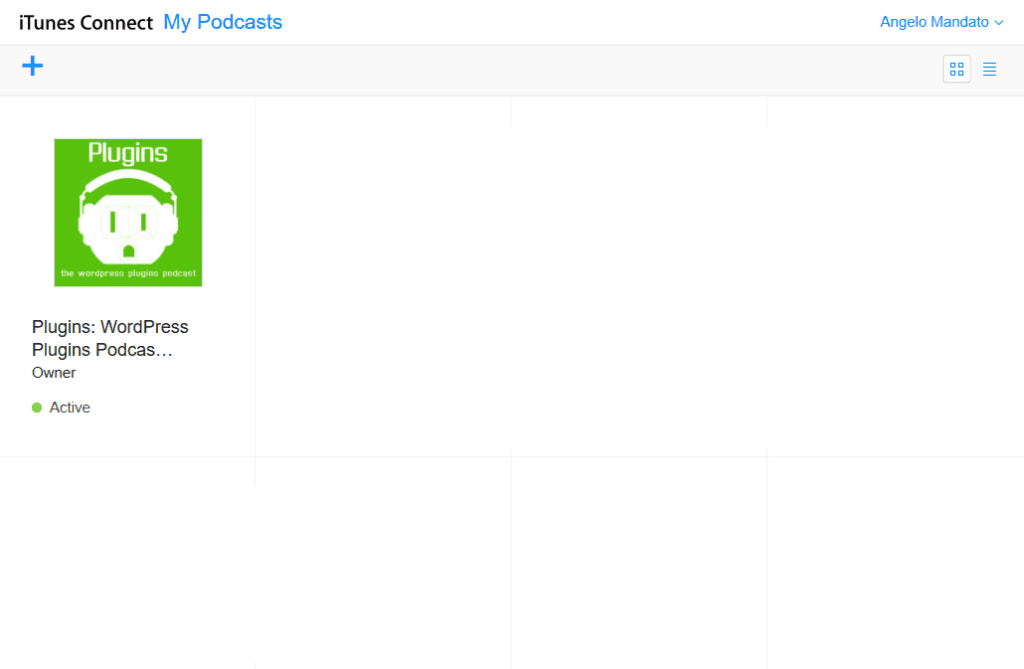
    Podcast submissions to the iTunes podcast directory are now managed by the new Podcast Connect website. The new website allows you to submit new podcasts, as well as refresh, hide and delete your current podcast listings.

    iTunes Podcast Connect

    In February, 2011 Apple dropped the update listing protocol, leaving podcasters with no way to refresh their podcast listings on iTunes. The new Podcast Connect website includes a Refresh Feed option, we applaud and appreciate the addition.

    Check back here at the PowerPress Podcast blog weekly for important updates and information that can help you improve your podcast’s chances for success!

  • Blubrry proudly partners with Appendipity Podcast Themes

    Appendipity and BlubrryBlubrry is proudly partnering with Appendipity, a leading creator of WordPress themes for podcasters. The collaboration provides we-moved-the-blog-to-this-site-when-we-made-a-new-website.blubrry.com/'s podcast media hosting and statistics clients standout themes that keep audio and video podcasts front and center in the marketplace. The professional, unique themes are optimized to work with Blubrry PowerPress, the leading plugin for WordPress, to leave a lasting impression on podcast audiences.

    "At Appendipity we create, design and develop Premium WordPress themes specifically for podcasters,” said Joey Kissimmee, founder. “All Appendipity themes are 100 percent compatible and integrated with PowerPress to make your podcasting efforts as easy and seamless as possible."

    In addition to the initial collaboration, RawVoice will continue to work with Appendipity to inform them when plugin changes and upgrades will be implemented. This allows for effortless transitions for podcasters using both of the companies’ services.

    “We are delighted that Appendipity, a leading-edge creator of themes in the podcast space, is the first template creator to specifically work with us to ensure smooth integration between PowerPress and their podcast themes,” said Todd Cochrane, RawVoice CEO. “We are pleased to recommend them.”

  • Get a taste of the Blubrry and TPN Channel App on Google TV

    Not much more app-etizing than Blubrry and Tech Podcasts Network (TPN) on Google TV! Yes-sir, now your favorite shows are accessible on yet another platform. With Google TV, Blubrry and TPN provide content creators the ability to access new markets that reach a worldwide audience of all demographics. Audiences can see network shows and manage their playlist through MyCast, whether they have a Blubrry or TPN user account or not.

    The Google TV app is one more in our RawVoice cache that also includes:

    • Roku
    • Boxee
    • LookeeTV
    • Samsung Smart TV

    So, it’s official, Blubrry and TPN content creators can be ogled on Google TV in addition to just about every medium available. And audiences can subscribe to a show as easy as pressing a button.

  • It’s out! PowerPress 2.0 provides a big, fat feast of new offerings to our digital media community

    We’ve launched it! And we think you’ll love it! For sho’ the Blubrry PowerPress powerhouse plugin is even more phenomenal than before! Mardis Gras is a couple days away but we figured we’d give you an excuse to start the party early with some outstanding new features to celebrate. The release includes the following features and changes (get comfortable, there‘s a bunch):
       

    • HTML5 video player
    • HTML5 audio player
    • Embed Episode feature
    • WebM video support
    • Ogg audio/video support improved
    • MP4+WebM (for mp4/m4v video, a new alternative WebM URL field has been added. This is ideal for supporting all browser based HTML5 video players)
    • Flow Player Classic can now play m4a audio and mp4/m4v video
    • New video player settings page added
    • Settings pages enhanced with new options such as location, frequency and TV options
    • Episode Entry box enhanced with new ‘isHD’ option when video entered into Media URL box
    • Episode Entry box now includes option to configure video player width/height on a per-episode basis
    • Upload image option added to supplement the video poster image field. Images are uploaded to the built-in image gallery in WordPress
    •  

    There’s a big fat feast-full of other improvements as well that’ll have you dancing in the streets. So toss the confetti, don the beads, rip off your shirts if you wanna and let the advanced digital media makin’, disseminatin’ and celebratin’ begin. Oh, and as always, let us know what you think!

    Note: PowerPress 2.0 requires WordPress version 2.8 or newer. Also, a big shout out to all the content creators who helped with the beta testing! Thanks a ton!!!