Blog

  • 3 Questions You NEED To Ask To Protect Your Podcast Feed.

    Dear Podcast Community:

    We’re concerned.

    Recently we have heard from a rash of podcasters who have either lost control of their podcast feeds, or had them go down for hours at a time. In one case, a podcaster lost his Feedburner account – and along with it, 10 years worth of listener subscriptions. In another case, a podcast service company went out of business, and multiple shows had to scramble to get their feeds moved. Ultimately they lost listeners because the original company closed shop and did not forward the feeds.

    At Blubrry, we have a long history of recommending that ALL podcasters own and control their own podcast feed. By controlling your feed, you can be guaranteed you won’t be dependent on other companies or people to keep it up and running. Feeds go invalid with even the best companies, and you can be at their whim to fix it. If you own your own feed, you won’t have to worry about losing your audience if the company suddenly goes out of business.

    Do you know who controls your feed? It is really pretty simple. If you have your own .com on your own site, and that is the feed that you submitted to iTunes, you are in control of your feed.  While some podcast providers say that you can control your feed from their site, if it is on their domain, it is their property and under their control. With Blubrry PowerPress you own and control your feed, which explains why today nearly 55,000 smart podcasters power their podcast with PowerPress!

    If you don’t have control of your feed, is there someone you can contact to get your feed back online if there’s an issue? Many podcasting service providers offer inadequate customer service and definitely nobody to go to in an emergency if there’s a feed issue. No matter what a podcast services company tries to tell you, nobody can guarantee that your feed will work 100% of the time. However, the likelihood that a feed owned and controlled by you will have a major problem is very small, and if it does happen, you will have the power to do something about it.

    Does your podcast host advocate that you have a different feed for every destination? This is a huge red flag. If you have different feeds for every place people listen to your show, i.e. one feed for iTunes, another for Google Play, another for Stitcher, etc, you’re asking for trouble. First of all you’ll have to monitor each and every feed to make sure they’re all functioning correctly, which is a ton of work! Second, the more feeds you have the more chances there are for something to break or go wrong. Remember, your feed is like a radio signal that spreads to many stations. There is no reason to have more than one signal – all that matters is that the one signal you do have is strong, is held and maintained by a reliable source, and can “broadcast” where you need it to go.

    Furthering the radio analogy, consider this: do you only want to rent the land your radio tower sits on, only to have the rent raised or worse, the land taken away? We feel strongly that when you own and control the “property” your feed sits on, it not only protects your creative property but also puts you in a much better position to troubleshoot and problem-solve.

    Keep in mind you only need one feed, and managing it doesn’t have to be complicated. Occasionally we have clients that are on a content management system that does not support podcasting feeds. Blubrry can provide in those cases a feed that we manage, with the ability to have it permanently forwarded when you do move to a platform that supports RSS feeds.

  • Immortal Podcasts and Creating Networks in PowerPress

    PPPiTunesAlbumArt-385Creating a podcast network doesn’t have to be difficult. Mike and MacKenzie talk about how to get one setup in PowerPress on this episode of the PowerPress Podcast. Categories, channels, taxonomies and a whole lot of other decisions are discussed to help you get a better idea of how to start a network easily with the help of PowerPress. Early in the show Mike brings up an article he read that mentioned a podcast host passing away – which got them thinking, what happens to your show after you’re no longer around? For a rather sad topic, they keep it fairly upbeat. They wrapped up the show talking about ending a show when it becomes to much work. Recently Gimlet Media decided to end one of their shows which sparked lots of conversation. Thanks for listening and go subscribe to the show!

    Fan of PowerPress? Leave us a review, here!

    Show notes:

    Look for: Category Podcasting, Podcast Channels, Post Type Podcasting and Taxonomy Podcasting

    Multi-site

    Contact MacKenzie

    Blubrry Twitter

    Blubrry Facebook

  • Podcast Too Big For Your Hosting Plan? Try Blubrry Pro.

    Is your podcast network growing too fast to keep up with your hosting plan? Or maybe you’re a radio station or public figure that wants to start a podcast but anticipates a lot of traffic right off the bat.

    Blubrry provides Pro Podcast hosting for high-profile podcasts who need a media hosting solution that fits in the following categories.

    If you fit the following criteria:

    • You host multiple shows;
    • You need unlimited storage space;
    • Your show(s) consume high-volume bandwidth;
    • You’d like to be able to integrate with third parties like Triton TAP and AdsWhizz Ad Insertion Systems; and/or
    • You’re a bank or private organization that needs a custom feed solution;

    Blubrry’s Pro Podcast hosting solution is for you! Celebrities, radio networks, podcast networks, private institutions, pharmaceuticals, and investment firms are just a few examples of customers who’ve benefitted from our pro podcast hosting solutions.

    The Pro plan is different from the unlimited hosting plan we provide independent podcasters. Our Pro solution was designed to serve customers whose needs outmatch our standard hosting plans. While most of our pro clients utilizes WordPress and PowerPress just like regular podcasters, we can work with clients who aren’t using WordPress to provide media player embeds and host their RSS feeds on Blubrry’s infrastructure. We can also provide custom solutions, and each pro customer has a personalized staff representative they can go to directly for priority support handling.

    Plans start at $100 per month and include incredible storage allowance and a competitive per-GB cost. To find out more email MacKenzie at mackenzie@blubrry.com.

  • 4 Smart, Streamlined Options For Live Streaming Your Podcast

    Live video streaming can be a great way to make a podcast stand out, encourage engagement, and give fans another way to consume your show. But with the disappearance of both Blab and Google Hangouts as live streaming options, podcasters wonder what the most reliable options are – and whether there’s really a demand for live podcasting at all. Here are four great, easy-to-use options to consider:

    • Livestream via Mevo: This small, portable, no-rig-required camera makes it easy to capture high-quality audio and video, and offers real-time editing tools that make it easy to create a professional result on the fly. Your podcast can be then streamed as it’s captured via Livestream or Facebook Live. Priced at $399.99, this is a great option for the podcaster who’s getting serious about live-casting.
    • Facebook Live: It’s free, easy to use, and your fans are probably already there. Just follow these instructions to begin streaming your show to your profile or page right from your phone or a GoPro. Another plus: Facebook tends to favor its own content, so Live videos often get more engagement and views than other types of content on Facebook. Facebook Live users also report better engagement on that platform than in other live stream platforms. Check out Facebook’s easy-to-follow instructions to make the most of your live stream.
    • YouTube Live: Basically a replacement for Google Hangouts, YouTube Live offers some options Facebook Live does not, such as the ability to set your stream to private, public or unlisted, and a “Fan Funding Card” that allows your audience to donate to your show directly via the stream. You have the ability to edit the video for 3 hours after recording, and it’ll be archived for 12 hours. YouTube Live also offers the ability to stream from any camera you want to use and is not limited to in-app.
    • Periscope: This Twitter-owned company made a splash in the live streaming world, and offers several benefits to live podcasters, including a streamlined, dedicated app that allows you to keep tabs on audience engagement and follow other streams. Periscope is now upping the ante with Periscope Producer, which will offer podcasters and other live streamers the ability to generate a unique URL that they can stream to from professional cameras, satellite trucks, desktop streaming software, studio editing rigs and even drones. The feature is currently only available to select brand partners and media organizations, but the company is looking to roll it out to a wider population of content creators in the future.

    Podcasters, do you live stream your show? What is your favorite platform, and why?

  • Anchor, Glistening Particles and Reasons to Start a Podcast

    Anchor, Glistening Particles and Reasons to Start a Podcast

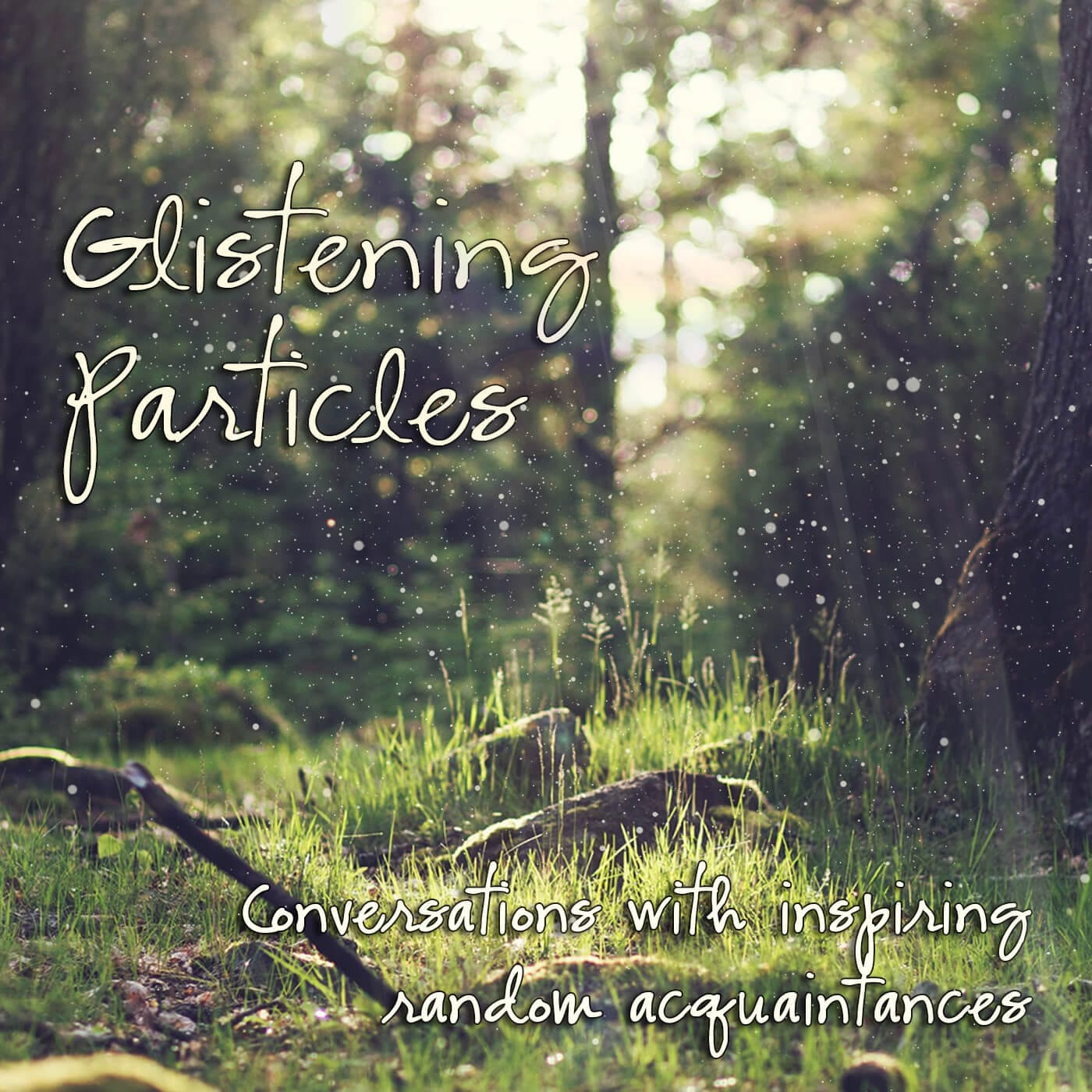
    PPPiTunesAlbumArt300Jane Ellen was excited to be on the PowerPress Podcast after starting her own show, The Glistening Particles, only 6 weeks ago. MacKenzie and Jane discuss an app called Anchor that allows you to make a 2 minute podcast. Yes, you read that correctly — 2 minutes! They’ve got the insight on why this app may be useful and fun. In MacKenzie’s podcast chronicle, she’s got good news for herself and the studio. As a new podcaster Jane is still getting the ropes of it all, and grateful for how helpful the podcasting community has been throughout the whole process. Lastly, they discuss reasons to start a podcast; in case someone out there listening wants to and hasn’t done it yet, stick around for the last part! Thanks for listening and please subscribe to the show!

    Fan of PowerPress? Leave us a review here!

    glistening particles

    new studio
    The new Blubrry PowerPress Podcast studio. More pictures to come!

    Show notes:

    Anchor App

    Glistening Particles – Can be found in iTunes, Google Play, Stitcher, etc.

    Philosopher’s Notes

    The Glistening Particles theme song called Shine by Jeff Smith Music:
    iTunes
    Spotify

    A Few Reasons to Start A Podcast…Now

    Email MacKenzie

    PowerPress Podcast theme song artist, Phonophage

  • Become A Podcasting Pro With Our FREE PowerPress Webinar

    Confused by how to get your podcast set up, running, and thriving – or just need some incentive to get started? Don’t wait: sign up for our free podcast setup webinar. Led by Blubrry Lead Support Tech Mike Dell, the webinar will walk you through the entire process of using the powerful, streamlined, and FREE PowerPress plugin used by over 50,000 podcasters.

    You’ll learn:

    • How to set up PowerPress
    • How to link PowerPress to your Blubrry account if you’re a Blubrry podcast hosting customer
    • How to get your podcast listed on iTunes, Google Play, Tunein, Stitcher, and more
    • Tips and tricks for optimizing SEO and ID3 tags

    This every-other-week live webinar will take you all the way from starting at a blank WordPress website to having your podcast on iTunes and Google Play using the #1 podcasting plugin, PowerPress.

    The webinar is interactive, offering the opportunity for a Q&A session with Mike himself. It’s open to anyone who wants to use PowerPress or just learn more about podcasting: you don’t have to be a Blubrry customer to sign up. Register here for the next webinar on October 13 at 4 PM EST, or watch a recording of a recent webinar below. Coming soon: night and weekend sessions, and an Advanced PowerPress Webinar for podcasters who want to develop a network of shows. Sign up now!

  • Rock Your Podcast Art, Part 2: 5 Design Principles To Help You Create Standout Cover Images

    There are a lot of great podcasts out there – but unfortunately, they are often accompanied by ineffective or poorly-designed cover art that doesn’t do the show justice when potential listeners scroll past. The good news? If you follow a few basic principles, you can elevate your show to stand out in a crowd. Last week we shared 5 tech tips you need to know to create great podcast cover art. In today’s post we’re covering design principles with Blubrry Creative Director Brian Yuhnke.

    5 Design Principles To Help Your Podcast Art Stand Out

    1. Use Color Wisely: Color is definitely subjective: the palette you love may not be another podcaster’s cup of tea. But color offers a huge opportunity to make your podcast stand out, and you will be on the right track if you follow two basic guidelines: go for an eye-catching color scheme, but limit the number of colors you use. “Three, maybe five colors, tops,” recommends Yuhnke. “Sitting next to something that’s black and white or uses way too many colors, yours will shine as simple and elegant.” But consider your brand identity, too: “If you have a strong, identifiable logo, you can sacrifice color and even some layout and your art will still work. But if your logo is terrible or nonexistent, then you better be doing some other things to bring out your brand and make your album art stand out.”
    2. Avoid Cliches: Unless your podcast is actually about podcasting, does a mic in the cover art make sense? It’s hard to make your podcast stand out when it’s advertised with over-used imagery, Yuhnke points out, and the ubiquitous microphone can look downright tired. Scan through podcast directories and see which kinds of images consistently come up. Portraits, cartoons, and RSS icons also stand out to Yuhnke as over-used. Bottom line: make sure any imagery you’re using in your cover art is unique and has a clear tie to your podcast’s topic and theme.
    3. Use Grid-Based Design: By creating a grid and designing over it, you can avoid amateur designer mistakes like elements that don’t quite line up properly and create a more visually-pleasing end product, says Yuhnke. But don’t worry about keeping everything too linear: “Not every element has to line up with the same X and Y lines,” he points out. “You can have two elements lining up to one another while three others are lining up on a separate axis.”

    To demonstrate, Yuhnke took a quick stab at this podcast’s cover art. The first image was created without the use of a grid, and the second just took a few minutes to fix and line up more properly on a grid.

    the-mom-hour-large
    Created without a grid
    The same logo, created on a grid
    Created on a grid

    Can you see the difference?

    4. Use The Rule of Thirds: This is an extension of grid-based design and an idea that has its roots in video and photography. By placing text and other interesting or important elements within the focal point of your art, the overall composition becomes more interesting, says Yuhnke.

    5. Make Sure It’s Readable: Many would-be listeners are scrolling through directories on small screens with teeny-tiny icons. Can they even see your cover art well enough to tell what your show is about? “Many times your cover art appears on a small screen next to 10, 20, or 50 other shows,” explains Yunke, “A listener needs to be able to take one click glance at the art and get a sense of what your show is about.” The real test? “Shrink your art down to 90px by 90px. If you can still comprehend the art at that size, then that’s a huge step in the right direction.” This is one area in which your choice of font will make a big difference. “With fonts, keep it simple: use one or maybe two fonts in your album art, and make sure the text is readable, especially at a small size.”

    Which of these design principles could you put into effect right away to improve your podcast cover art?


  • International #PodcastDay is Almost Here: Start The Conversation!

    If you’ve been looking for an excuse to crow about your podcast, here it is: International Podcast Day, a day “dedicated to promoting podcasting worldwide through education and public engagement,” is coming up soon: this Friday, September 30, and there is a two-day educational event to accompany it starting on Thursday, September 29.

    Started by Steve Lee in 2013, the event aims to raise awareness about podcasting and its potential for entertainment and education.

    Blubrry is the Platinum-level sponsor for International Podcast Day 2016, and several team members will also be presenting. All presentations will be streamed live on Firetalk.

    CEO Todd Cochrane will be speaking about “Podcast Audience Engagement and Metrics that Matter” at 8:00 PM PST on Friday, and will also be on the closing panel with Steve Lee at 11 PM PST Friday. Blubrry team members MacKenzie Bennett and Angelo Mandato will present on “From Branding To Promotion” at 10 AM PST, covering details like branding, optimizing your podcast feed, and successfully promoting your podcast using winning artwork, podcast players, subscribe tools, and more.

    Other notable presenters include Gary Leland & John Lee Dumas, Kathryn Bryant, and Annie Sargent.

    Pre-registration isn’t necessary: just check out the event list and show up to whatever grabs your interest! Most of all, be sure to spread the word: after all, the point of International Podcast Day is to spread the word about this great medium. We’ll see you there!


  • Ways to Stream an Event and International Podcast Day

    Ways to Stream an Event and International Podcast Day

    PPPiTunesAlbumArt300International Podcast Day is coming up quickly and MacKenzie and Steve Lee talk about how you can celebrate and just what this day is about on the latest PowerPress Podcast. First off, for an event such as Podcast Day, streaming services are very important, and we discuss the value of a service, Voice Republic based out of Europe. For those of you that are looking to live stream your seminar or speaking session, particularly with a piece of hardware, this may be your answer. We dig into why International Podcast Day was started, who works on it, how people celebrate – such as conversations from 14+ countries all over the world, and most importantly bringing the podcasting community together. Steve has also started a podcast network, Modern Life Network, so in the discussion about creating a network from your podcast, he had some personal insight on the matter. Thanks for listening and subscribe to the show, and please leave a review for PowerPress! Happy podcasting.

    Fan of PowerPress? Leave us a review, here!

    ipd-round-400

    Show notes:

    International Podcast Day

    International Podcast Day Twitter feed

    Email the Podcast Day team

    Email MacKenzie

  • How To Rock Your Podcast Art: Part One – Tech Tips

    You’ve spent countless hours coming up with a great concept for a podcast, recording, editing, publishing, and promoting. But your show still isn’t getting the traction you’d like. What’s going on?

    In a time when iTunes and other directories act as virtual catalogs, allowing potential listeners to browse and select based on what grabs their eye first, success isn’t just about having a great idea and a high-quality show. You must also grab attention visually.

    Here at Blubrry, we’ve had plenty of experience with both great and terrible podcast artwork – and everything in between – and we’ve got some suggestions for how to optimize yours to be attractive, eye-catching and relevant to your audience. In this post, we’ll be delving into some of the necessary technical issues of creating podcast art, and in a follow-up post, we’ll go into the creative design principles you need to know.

    5 Tech Tips You Need To Know To Rock Your Podcast Art

    1. Your Show Cover Art is the image that appears in directories, like iTunes, Google Play and Blubrry. The current iTunes recommendations are 3000 X 3000 pixels, in order to look good on Apple TV. If you are a PowerPress user, you can use the Google Play setting blank and it will automatically pull your iTunes image. (This is what we recommend.)
    2. Keep in mind that all podcast art must be created in the RGB color space. RGB (Red-Green-Blue) is the color of the light that is emitted from the screen to represent a pixel of the image. Avoid using the CMYK (Cyan, Magenta, Yellow, Black) color space. That’s meant for printing, and if you use CMYK for your podcast artwork, the image could show up as poor quality when resized or viewed on different screens and devices. Note: If you change the iTunes image without changing the file name, it might take some time (possibly even months) for iTunes to update the image in the iTunes Podcast Directory. Please contact iTunes Support if you are having issues with your image changes not appearing in iTunes.
    3. Your Individual Episode Image is the artwork that appears when a specific episode is being played. It can be unique to each episode (if you don’t upload a specific Episode Image, your cover art will appear instead.) Episode images need to be saved into the media file in the form of tags (ID3 tags for mp3) following the production of the media file. It should be smaller than the show cover art image – a good guideline is 600 X 600 pixels – because a larger size could cause problems with your iD3 tags being read by iTunes and other directories.
    4. Make sure your images look good scaled down to as small as 60 x 60 pixels. Text might not be readable at that small size, but the logo/text should still be recognizable. iTunes scales images to as small as 30 x 30.
    5. Your iTunes Show Cover Art should be saved in JPEG (.jpg) format to optimize the file size. A detailed PNG format image at 3000 x 3000 can exceed 1MB in size, which is known to cause issues with applications including iTunes. More importantly, the larger the file is, the longer it takes to load.

    In our next post on this topic we’ll cover crucial design tips to make your artwork stand out and represent the high quality of your show!