
Category: Announcement

  • Blubrry Offers Annual Billing for Podcast Hosting

    Blubrry Offers Annual Billing for Podcast Hosting

    iPhone calculatorYou are making an impact with your podcast. You’ve already decided that you’re sticking to your show and want to ensure you’ve made it as easy as possible to maintain the momentum. To make it even easier for podcasters to stay on track, we’ve introduced annual billing for hosting customers. Forget monthly payments and pay upfront to ensure there’s no interruption to your podcast hosting.

    Save Money

    Our Standard and Advanced hosting plans are included in the annual option. On average, you’ll save about 10% a year, no matter the hosting plan, for choosing an annual subscription versus a monthly subscription. Save yourself some money and a little bit of hassle, too.

    Annual Hosting Costs

    • Standard Hosting 125MB of storage: $120 billed annually ($10 month), save $24.
    • Advanced Hosting 400MB of storage: $204 billed annually ($17 month), save $36.
    • Check out additional hosting plan options on our website.

    Make the commitment whenever it makes sense for you. You can sign up at any time.

    Great Use Cases

    We’ve worked directly with many customers over the years to provide this on an individual basis, and have experienced a vast number of reasons why podcasters find it useful. Below are some examples of who would benefit from a one-time payment subscription.

    • Government organizations
    • Nonprofits
    • Educational organizations
    • Those with a strict budget
    • Churches
    • Teams with an annual budget
    • Company cards and finance teams that don’t want to manage monthly payments
    • Podcast seasons! I.e, you’re going to release episodes for only one or two years
    • Retired shows. Our standard hosting plan is the least expensive option for those who aren’t actively publishing, but want to keep their show online.

    Where to Sign Up

    Annual billing is available to people just signing up for a podcast hosting plan or those adjusting the plan they are currently on. New plans can sign up on the we-moved-the-blog-to-this-site-when-we-made-a-new-website.blubrry.com/ homepage; and adjusting your current hosting level can be done in the Billing section of the Blubrry dashboard while logged into your account. At the end of your subscription, you’ll be able to automatically renew.

    Please reach out to our sales and technical support team if you have any questions or problems with the process. Do so here.
  • Blubrry Will Implement Apple Podcasts Delegated Delivery

    Blubrry Will Implement Apple Podcasts Delegated Delivery

    This fall, podcasters can submit new shows and premium episodes to Apple Podcasts through Blubrry

    Apple Podcasts Logo

    Blubrry Podcasting is delighted to announce support for Apple Podcasts Delegated Delivery, to be released later this fall. Delegated Delivery will allow podcast creators to submit, manage and distribute their free/premium episodes all directly through Blubrry.


    Apple Podcasts Delegated Delivery Benefits and Features

    • Authorize Blubrry to deliver free and premium content to Apple Podcasts
    • Upload and distribute premium content through Blubrry to Apple
      • Using MP3, WAV, and FLAC files
    • Available to all creators for free through Apple Podcasts Connect
      • Apple Podcasters Program membership is required for premium content distribution
    • Overall, easily and quickly distribute free and/or premium content shows to Apple Podcasts from your hosting partner, Blubrry

    How Will it Work

    Podcasters will authorize Blubrry to distribute their podcast episodes directly to Apple via the Blubrry podcaster dashboard. There will be a few simple steps creators will take connecting Blubrry to Apple Podcasts, but after that it is smooth sailing for submission and publication. 

    Who Should Be Utilizing Delegated Delivery

    • Those submitting a completely new show to Apple Podcasts
    • Anyone releasing premium podcast content
    • New podcasters will benefit from the ease of use and time saving capabilities
    • Non-premium shows already submitted and listed on Apple Podcasts do not need to use this feature

    When Will it Be Released

    Apple has announced Delegated Delivery for podcasts will be available in fall of 2022. As we get closer to the launch of Delegated Delivery, Blubrry will be releasing instructions, documentation and a video or two on how to submit directly through Blubrry’s podcaster dashboard. This will be exclusively for Blubrry hosting customers and found in the destinations section of the podcaster dashboard, not in PowerPress (but, never say never).

    _______________________________________________________________________________________________________________

    As always, our support team will be ready to help with any issues that arise using this new feature; however we expect a smooth process from Blubrry to Apple, as this will be even easier than the current submission process to the Apple Podcasts directory.

    Check back here regularly for more details about the process after the launch this fall. We’re a provider partner with Apple Podcasts, which means all of our services are guaranteed to work smoothly with their platform. We look forward to seeing just how easy this will make it for creators to Publish, Analyze and Grow their show with Blubrry’s integrations.

  • Blubrry Introduces New Account Sharing for Podcasters

    Blubrry Introduces New Account Sharing for Podcasters

    Share your podcast account publishing/stats access with team members

    Remote team onlineBlubrry Podcasting introduces account sharing. One of our most requested features is now available: allowing for additional users and permissions for each show. The ability to share publishing or stats access with other team members, co-hosts, and sponsors is now live. This new feature is handy to podcasters, and now anyone with a Blubrry account and podcast can add additional users to their show. In the past, we’ve recommended using a shared email account for the Blubrry login, but we’re happy to have remedied that situation with a more sophisticated solution.

    Podcasters can share their podcast with anyone they’d like with a simple email invitation. For example, if you have a podcast editor that you want to allow to upload the finalized episodes, you can add Publishing permissions and exclude the statistics. On the other hand, if you have a sponsor that wants to be able to view the statistics regularly but keep away from the episode files, set them to Statistics only. There are easy-to-manage scenarios in which our three permissions settings can benefit you and your team.

    Each user must create a Blubrry account but doesn’t need to sign up for any services. Once accepted, the shared podcast will be added to their account with permissions set by the podcast account owner.

    Where to Find Sharing

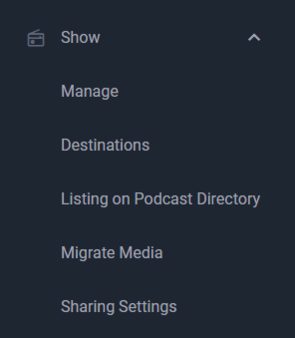
    You can find the account sharing in the sidebar when logged into the dashboard. Head to ‘Show’ and then ‘Sharing’ to manage your users and permissions. You can manage users and their permissions from the same menu.

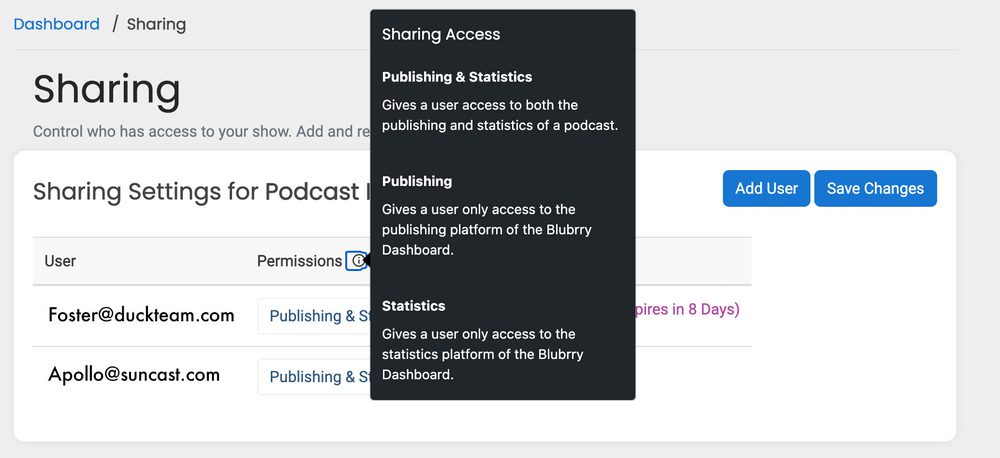
    Permissions

    Publishing and Statistics
    Full access. Users can publish your episode files and access the statistics, including exporting data.

    Publishing
    They can publish your episodes but not access the statistics section of the Blubrry dashboard.

    Statistics
    They can only access the statistics section of the Blubrry dashboard.

    Invites

    Invitations are sent via email and expire after 10 days; a new invite must be sent if expiration occurs. If the invitee does not yet have a Blubrry account, they’ll be prompted to create one (using the same email address as the invite). They can then follow the prompts to accept or decline the invitation.

    If a user has declined, modifying the permissions will not send a new invitation. It’s best to remove them and send a new invitation. There is no need to send a new invite if you change permissions.

    Professional hosting customers have no limit on the number of users they can share per show or the overall network. All other account owners are capped at five additional users per show. 

    Again, this is free and available to any Blubrry user. Even if you’re using our statistics, you can now share them with whomever you want.

    Blubrry podcasters can now quickly and securely share their podcast service with their chosen team members. Just another way we’re letting you be in control of your podcast; grow your team and delegate those podcast-related tasks. If you have any questions or issues, don’t hesitate to contact Blubrry support.

  • Audience Survey Results Added to Blubrry Podcast Stats

    Audience Survey Results Added to Blubrry Podcast Stats

    Audience demographics graphically available in podcaster dashboard.

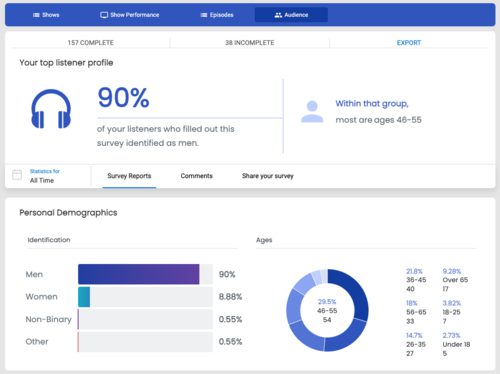
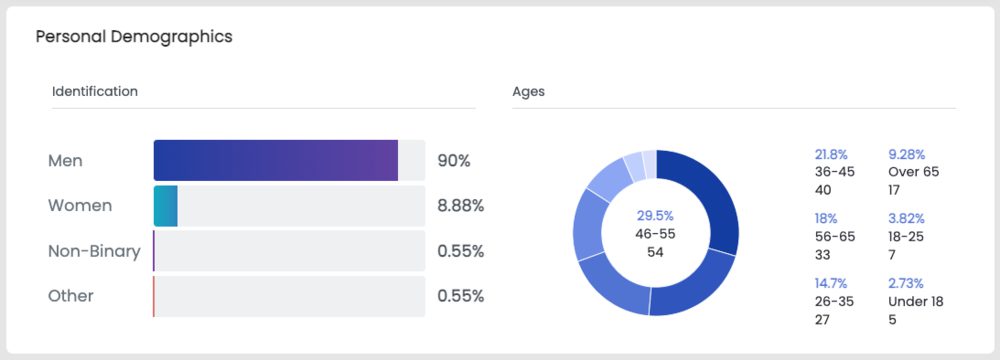
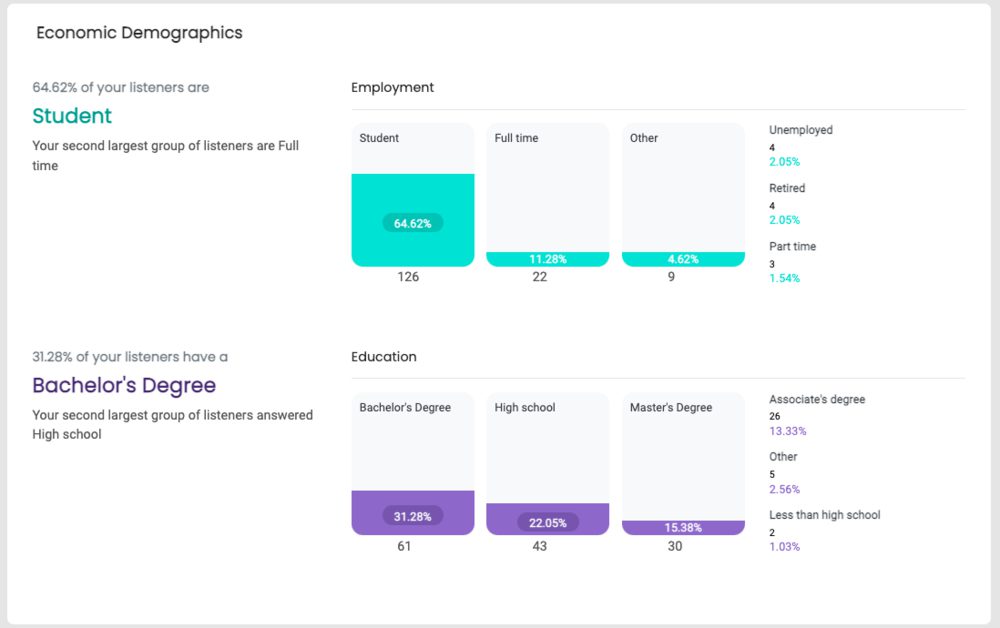
    Last month we updated our audience survey and promised an audience survey results section within our podcast statistics. You can now check your results with beautiful charts and graphs that look into the type of listeners listening to your podcast. If you’re curious about your potential audience results but want to learn more about audiences for the industry, check out the latest from Edison Research’s 2022 Infinite Dial Report, where they provide podcasting data.

    Where to Find Audience Survey Results

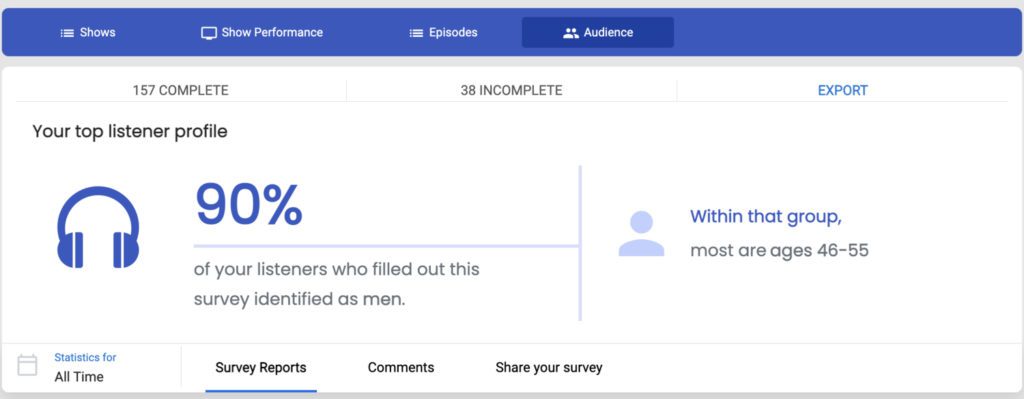
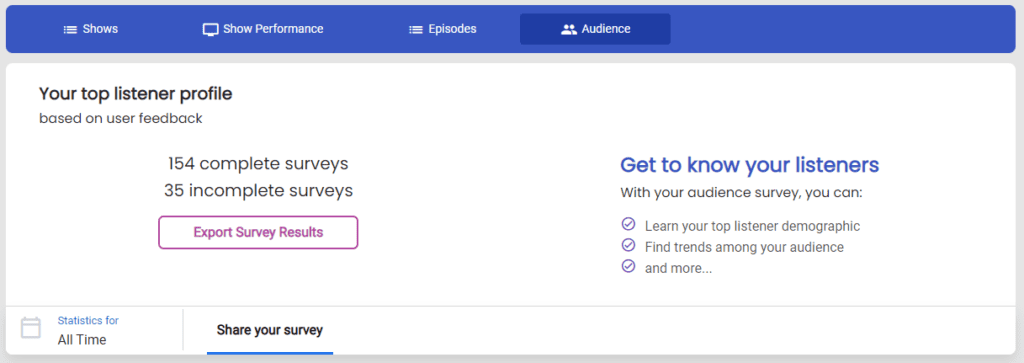
    A newly updated tab in the podcast statistics section is called audience. From there, you’ll see new charts and graphs representing the results, and you can download a CSV of your results overall.

    How to Use This Data

    • Add it to your media kit.
    • Back up your podcast stats info with relevant info about your listeners.
    • Make strategic marketing decisions, such as connecting more with your younger Gen Z audience and their interests.
    • Take it to heart, and by that, we mean sit back and reflect on your results and how they connect to your Impactful Play and Retention data.

    Focus your efforts on pleasing your audience with more curated content and working better to fit your listeners’ habits, lifestyles, and preferences. This reliable demographic data is in demand all over the podcasting industry, and you have the power to get it directly from your listeners. 

    One of the most exciting parts of the new survey data is that those surveyed can leave you a comment, which they can keep private or be shared publicly on Twitter. If a listener left you a positive comment and clicked ‘public,’ you can share that with your Twitter audience directly through Blubrry.

    If you’re not already using our audience survey, it’s incredibly easy to get started. We provided some ideas on how to do that here. An audience survey can help you grow your audience. This is one of many tools we’ve refined and re-released to assist podcasters in publishing their show and continuously analyzing and learning how to best grow their show. 

    Those who have used the audience survey previously will see their past results already implemented. Those not utilizing the audience survey will see results after one completed survey.

    Lastly, our audience survey is available to anyone with a Blubrry account. You’ll find the best use case for the survey results is when you’re also using our hosting and have access to the Impactful Play and Retention data from our stats. Standard stats users receive the visual results, but free stats users do not and can download the raw data in a CSV.

    A visual representation of collected data is now easier to comprehend and view changes over time. We hope you find the visual results compelling and helpful in addressing your audience and podcast content in the future. Read here and get started with yours, found under Audience in Blubrry’s podcaster dashboard, to learn more about audience surveys.

  • New, Easy PowerPress 9.0 Onboarding

    New, Easy PowerPress 9.0 Onboarding

    Refinements made to the onboarding process within PowerPress makes starting a podcast easier.

    PowerPress logoHaving a website can be critical for your podcast, especially to ensure audience growth. We’re reminding you of this to also tell you that we’ve updated our onboarding process for PowerPress, our publishing podcast plugin for WordPress. By the end of the process, you’ll be publishing your first episode and on your way to submitting to numerous podcast directories. Talk about efficiency.
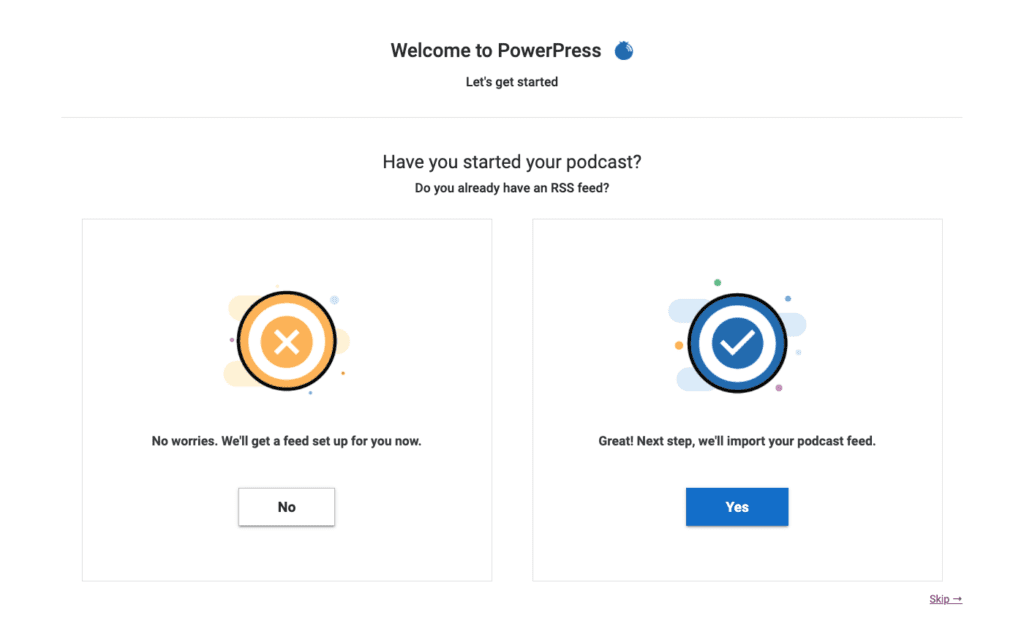
    PowerPress 9.0 onboarding screen

    You can go one of two ways: starting a podcast or moving a podcast. Starting is a quicker process than moving, however, you’ll be able to complete the desired goal either way.

    Starting a Podcast with PowerPress

    You create your podcast within the onboarding process. Add your title, artwork, some finer details, and, lastly, you’ll receive an auto-generated RSS feed from WordPress. Those who are not yet a member of the Blubrry family can sign up for podcast hosting through their WordPress website and use our one-month free trial to try us out. Got hosting taken care of already? That’s ok, just go ahead to the next step. You’ll be all set within a few minutes.

    Anyone with a WordPress site can try podcasting out for free within a few clicks, and all without leaving WordPress.

    Importing and Switching a Podcast to PowerPress

    Using Blubrry’s podcast hosting is not a requirement of PowerPress. Anyone can import their podcast to PowerPress, and those beginning to use Blubrry hosting can move their media episode posts (including show notes). The steps are easy: sign up for hosting, then Blubrry automatically imports your media, and then we import your episode posts (show notes). We move your existing show’s title, RSS feed and artwork, so it’s a complete transfer for the podcast.

    The import and migration time length depends on how many past episodes you have, as well as their file size. Luckily, you’re able to get it started and then come back later to check on the progress. We always recommend you reach out to our support team and review the full steps when leaving other hosts.

    We recommend you have the following ready:

    • Title: Well researched and something you won’t feel the need to reassess in the near future
    • Artwork: Eye-catching and properly sized (3000×3000 or 1400×1400), 72 dpi in JPEG or PNG
    • Log-ins: Your Blubrry login information to link the account

    We’ve tweaked the onboarding process for all new users in the onboarding process for PowerPress, with an emphasis on reaching the end goal of being able to easily publish an episode at the end of the process.

    Since day one we’ve developed our tools to help you own your brand and control your show, nowadays with a bigger emphasis on the growth of your show. By the end of the PowerPress onboarding process, you’ll be set to easily manage your podcast within your own website; and focus on tools that will help you market your show.

    Learn more about PowerPress here. Give it a shot yourself and get your podcast started today.

  • Blubrry Podcasters, Publish, Analyze, and Grow Your Show

    Blubrry Podcasters, Publish, Analyze, and Grow Your Show

    A full scale modernization of Blubrry’s platform

    For two years, we’ve been working on changes to the entire Blubrry Podcasting platform, challenging our dedicated team to come up with new ways to ensure podcasters are getting the best quality service from us and find it easier to podcast in general.
    It’s a new era for Blubrry. Since the start of our recent modernization, we’ve been busy ensuring all podcasters — new, current, and new-to-us — are getting the help they need; whether that means a free hosting trial, revisiting stats for new data, or switching their show for free. The focus has never more been on you, the podcaster. As podcasters ourselves, we would be remiss to say we don’t have the words to express our excitement over these new changes, releases, launches, revamps, etc.

    You all challenged us to build something better, and more essential in the podcasting space. We’ve rebuilt our platform to provide our powerful tools in a more simplistic and inclusive way for all creators: Regardless of publishing style, knowledge base, technical ability and podcast goals. With that in mind, we ask you to…

    Publish.

    It all starts with the hosting. So, we simplified the onboarding process, moved some features around and completely reworked our dashboard. Once you’ve published, it’s time to share your show and see who is listening.

    Analyze.

    The updated statistics platform is top-notch and helps you understand your podcast better than ever. View the new graphs, charts and metrics to see just how much impact your show has. Use all of our tools to review and determine how you’d like your podcast to grow.

    Grow.

    Discover the ways in which you can grow your podcast audience with a culmination of our tools and services. Take advantage of our partner integrations within the dashboard, stats, the PowerPress plugin, learn from our podcast manual and share your podcast via our many website options.

    …Do More For Your Podcast

    Thrive. Monetize. Connect. Succeed. Inspire

    A list of our updates in the past two years…

    • Dashboard: Brand new UX to focus on ease-of-publishing, show management, statistics, partner integrations and growth tools. Read here.
    • Statistics: Completely new podcast statistics UX while adding retention and impactful data metrics. Read here.
    • Onboarding: New simplified experience for customers ordering hosting or statistics. Read here.
    • PowerPress: Continuous updates to our WordPress plugin, starting with a simplified onboarding experience and a new user interface. Read here.
    • Advanced: Consolidated advanced statistics and Blubrry WordPress Sites into higher-level plans called Advanced Hosting, and soon increased storage limits on those plans. Read here and here.
    • Pro Hosting: Automated signup and complete rebuild of billing and account management, available on AWS Marketplace. Read here and here.
    • Audience Survey: Updated listener survey questions, the results of which will be added to the statistics platform in the near future. Read here.
    • Reorganization, redesign and consolidation of Blubrry web resources including the Podcast Manual, Support, Services and Developer pages.

    For those of you just catching up on what we’ve been up to, keep reading beyond this article, it’s just the beginning of a new Blubrry.

  • Gather Podcast Audience Data with Blubrry’s Updated Listener Surveys

    Gather Podcast Audience Data with Blubrry’s Updated Listener Surveys

    New Changes Coming to Blubrry’s Audience Surveys

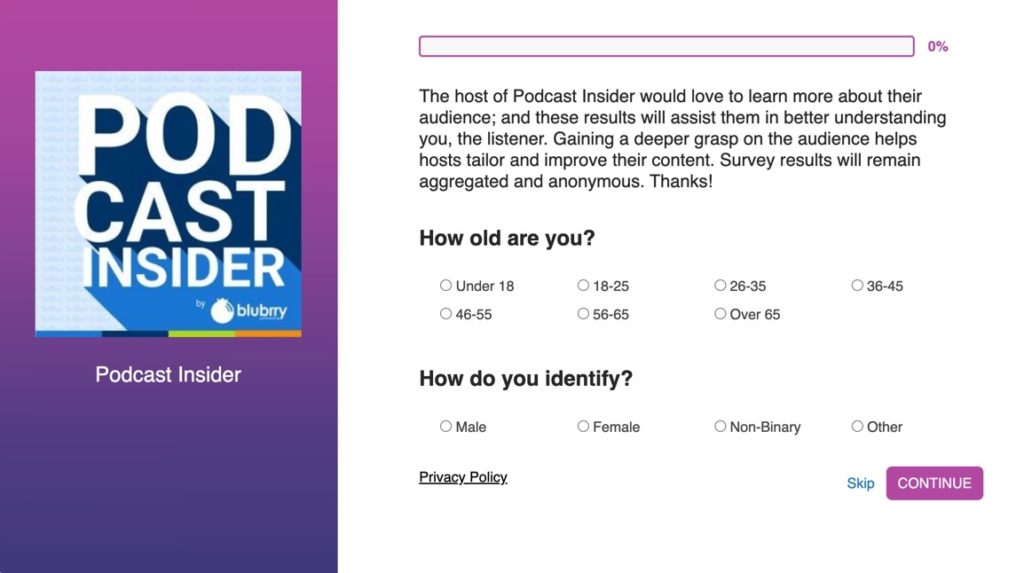
    Podcasters are always looking for insights on their listeners. And we’ve always offered an audience survey to our users to provide their audiences to gain demographic data on your show’s listeners. Now, we’ve refined the survey and will soon add the graphical results to the new audience tab in podcast statistics.

    Utilizing our listener survey, you’ll discover information such as listeners’ age, favorite genres, what they do and do not like about the show, and a comment section if they’d like to share a note to you privately or publicly via social media.

    As podcasters, you want to know more about your audience’s habits and thinking; that way, you can quickly build a more robust way to reach them and satisfy their wants and needs. This information is a great way to do that and – combined with your podcast stats data – you’ll be well suited to make adjustments that please your listeners.

    Where to Find Your Audience Survey

    1. Go to the sidebar in the dashboard.
    2. Go to Statistics
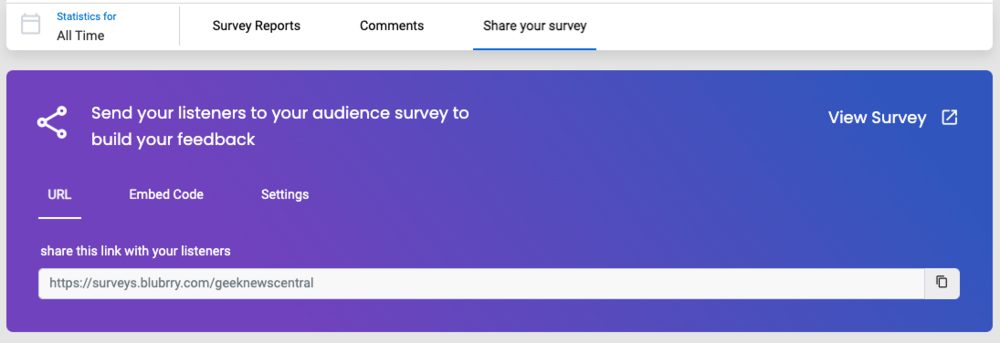
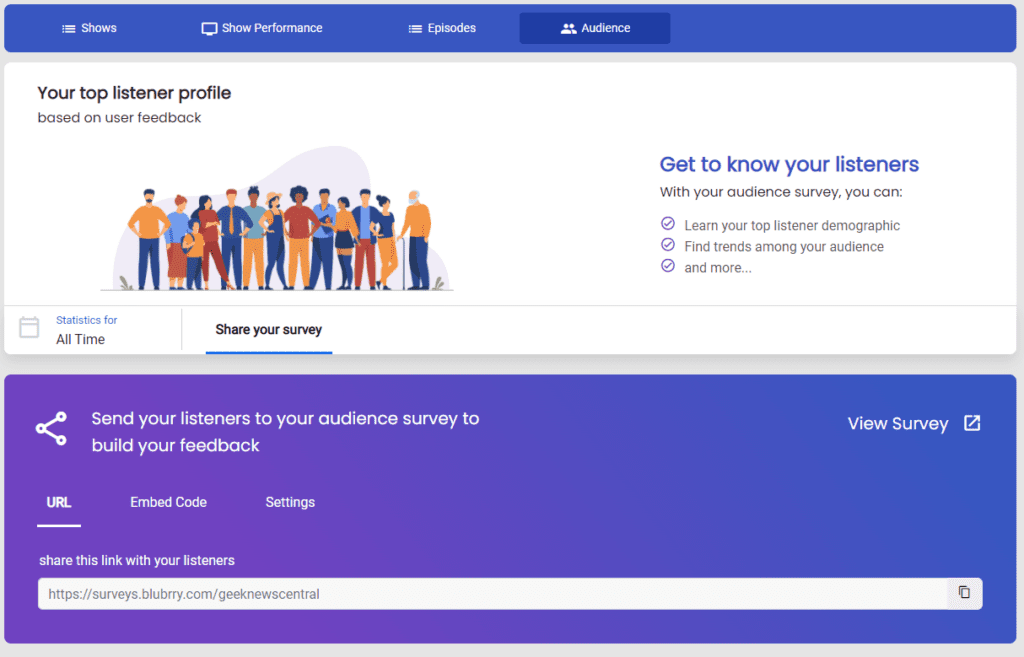
    3. Click on the Audience tab, and you’ll find a link that you can easily share with your followers and, for now download results.

    Why You Should Use a Podcast Audience Survey

    1. Be more interactive with your listeners! It’s somewhat of a no-brainer, but it can be difficult to tell if people genuinely connect with the episodes that you’re posting. Hear directly from them, in a private but open setting where they feel they can be truthful.
    2. Monetize! Gather data for advertisers. Your podcast statistics are an essential part of winning over an advertiser, but the demographic data you’ll now have will make it an easy decision on their part.
    3. Make sure you’re on the right track. You’ll know a bit about your podcast audience in your gut, but why take that chance when you have a sure thing available?
    4. Create a media kit. The possibilities are endless when you want to expand on your podcast content. One easy way to get your foot in the door for other avenues is with a simple and well-put-together media kit containing download/play numbers and information such as age, income, favorite part of the show, etc.
    5. Start conversations on social. A fantastic new feature we added this time around is the ability for the survey taker, aka the listener, to easily share a comment about the show on their social media.

    You can easily share the survey link anywhere you’d like, such as in your newsletter, social media, blog posts and/or QR codes. Survey results can be found within the audience tab of the podcast statistics section of the dashboard.

    The phrase ‘any news is good news’ also pertains to your audience survey results. Take your listener’s information and opinions in stride and know that you can use this data, along with our new data metrics – Impactful Plays and Retention – to make changes that will help you refine your episodes and create a more enjoyable and well-received podcast.

  • Blubrry’s Affiliate Program Offers Two Months Free

    Blubrry’s Affiliate Program Offers Two Months Free

    affiliate program iconIf you’ve been keeping up with our newsletter, social media, company show Podcast Insider, etc., you know that we’ve been working on some major revisions to our dashboard, services and more this past year. The affiliate program is no different: We changed how some things work, for the better.
    Major Changes:

    • Your promo code, aka the deal, is now for two months of free hosting
    • The Pro Hosting subscription is now included
    • Statistics are no longer included
    • It features a new dashboard and onboarding for all users

    Two Months Free

    First things first, your promo code now allows users to receive two months of service free! Instead of one month free on you (or us depending on how you look at it), customers purchasing new subscriptions will receive two months of service for free. This does change how long it takes you to earn commission. You earn commission four months after they originally (two months free, two paid) purchased it. Shout the good news to your potential podcaster audience!

    Pro Hosting

    Our Pro Hosting is now available to order directly from our website, no company sales team involved. Pro hosting requires a $100 setup fee when signing up; your promo code now waives that fee for customers. If you remember, the annual bonus is attributed to the gross sales overall. For this service, a monthly $100 fee will be put toward the total gross sales that determine your annual bonus.

    New Onboarding

    Onboarding has never been easier, which means users who sign up are more likely to stay and continue on with their subscription. So, you’re more likely to consistently earn commission out of the sale.

    Statistics

    At $5 a month, our Standard Statistics are no longer included as part of the affiliate program. Advanced Stats are included with our new Advanced Hosting plans – remember that when selling the Advanced hosting. At a low entry cost, we assure you that this removal will not significantly affect any affiliate sales.

    Learn about our stats here.

    Keep in mind that we just released a new stats dashboard, which is a wonderful selling point for all of our hosting plans, especially the Advanced plans as it includes Impactful Play data. We tackled an entire user interface and experience with this update and it’s a game changer for those interested in learning more about their audience and how they can grow their podcast.

    Upcoming Webinar

    If you’re just getting started or want a refresher, we’ll be hosting a webinar reviewing:

    • Talking points on all of our services – Standard, Advanced and Pro Hosting
    • Annual bonuses
    • Tips on selling
    • How to grow with Blubrry

    Join us Wednesday, March 30 at 2PM EST and register here.

  • Blubrry Introduces New Podcast Statistics Interface

    Blubrry Introduces New Podcast Statistics Interface

    Blubrry Podcasting has introduced the most significant stats update in its history to the Blubrry Statistics platform with new features. The goal from the beginning has been to enhance the podcaster’s insights to analyze show growth and listener retention.

    This statistics update is the first of many updates we have planned for the Podcast Statistics system with new features to be introduced over the coming months. We have provided accurate statistics since 2007 and led the way in setting the current measurement standards.

    The Blubrry team has revolutionized podcast stats to improve user experiences, provide robust analytical tools – such as better graphs, charts, tables – and insights that are more advanced.

    What’s new?

    • Listenership trends
    • Retention data
    • Impactful Play data
    • Updated charts and graphs
    • Simplified data

    Data is displayed in four main categories: 

    • Retention
    • Trends
    • Geolocation
    • Apps and Devices

    Listenership Trends: With insights such as total listens, number of listens today and number of listens in the past 30 days, podcasters can examine their show performance and gain an instant insight of listenership.

    Navigation has been simplified, along with the ability to set date ranges quickly with the same view of data down to the episode level viewed at your preference.

    Retention Data

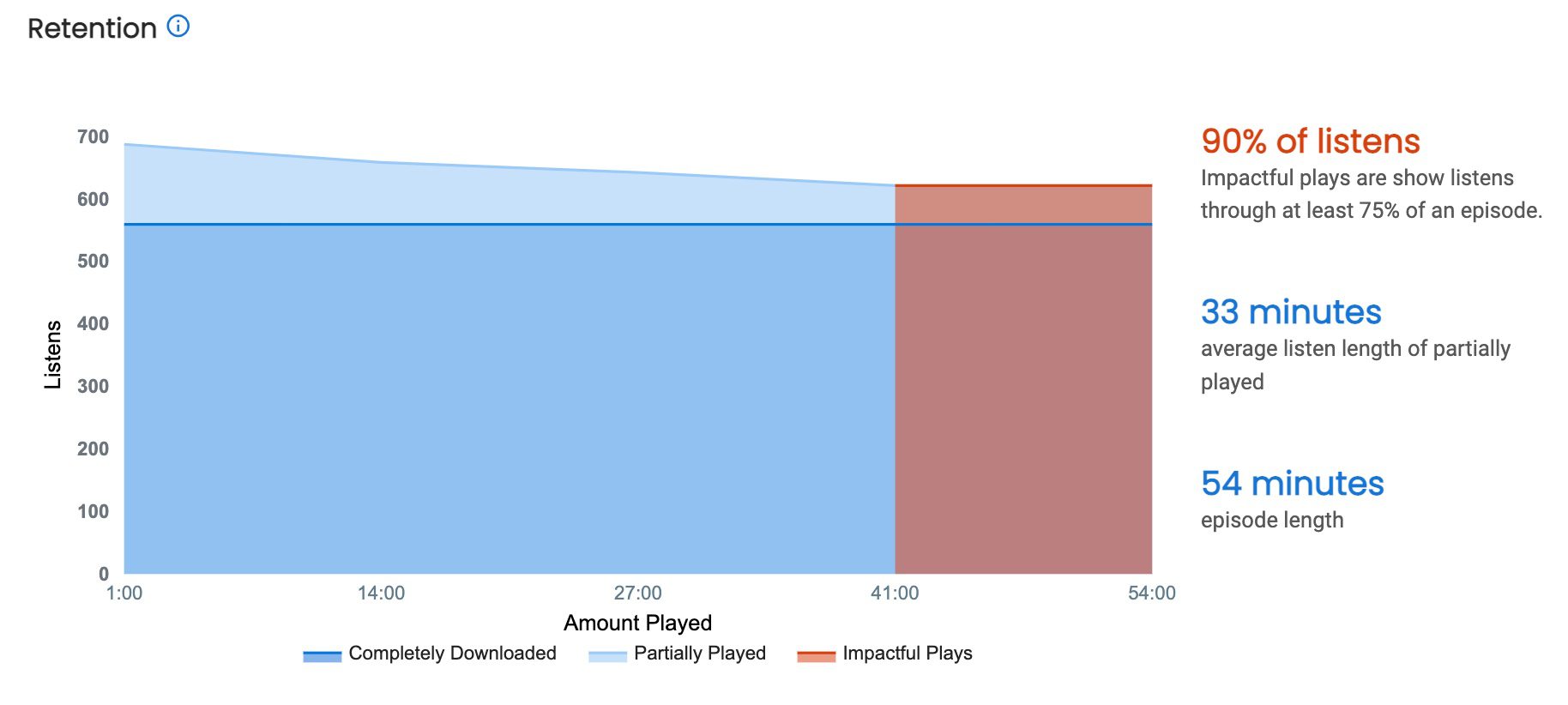
    This retention chart is one of the most exciting innovations we have developed. If you want to know whether listeners are sticking around for your whole episode or just part of it, you will love this new chart.

    The chart includes:

    Impactful Plays: Is defined from a significant portion (75% to 100%) of the episode that was downloaded or played.

    Average Listen Length: This is derived from the average listen length of partially played content.

    Completely Downloaded: An excellent representation fully delivered media files and insight into the total number of followers or subscribers your show/episodes have.

    Trends

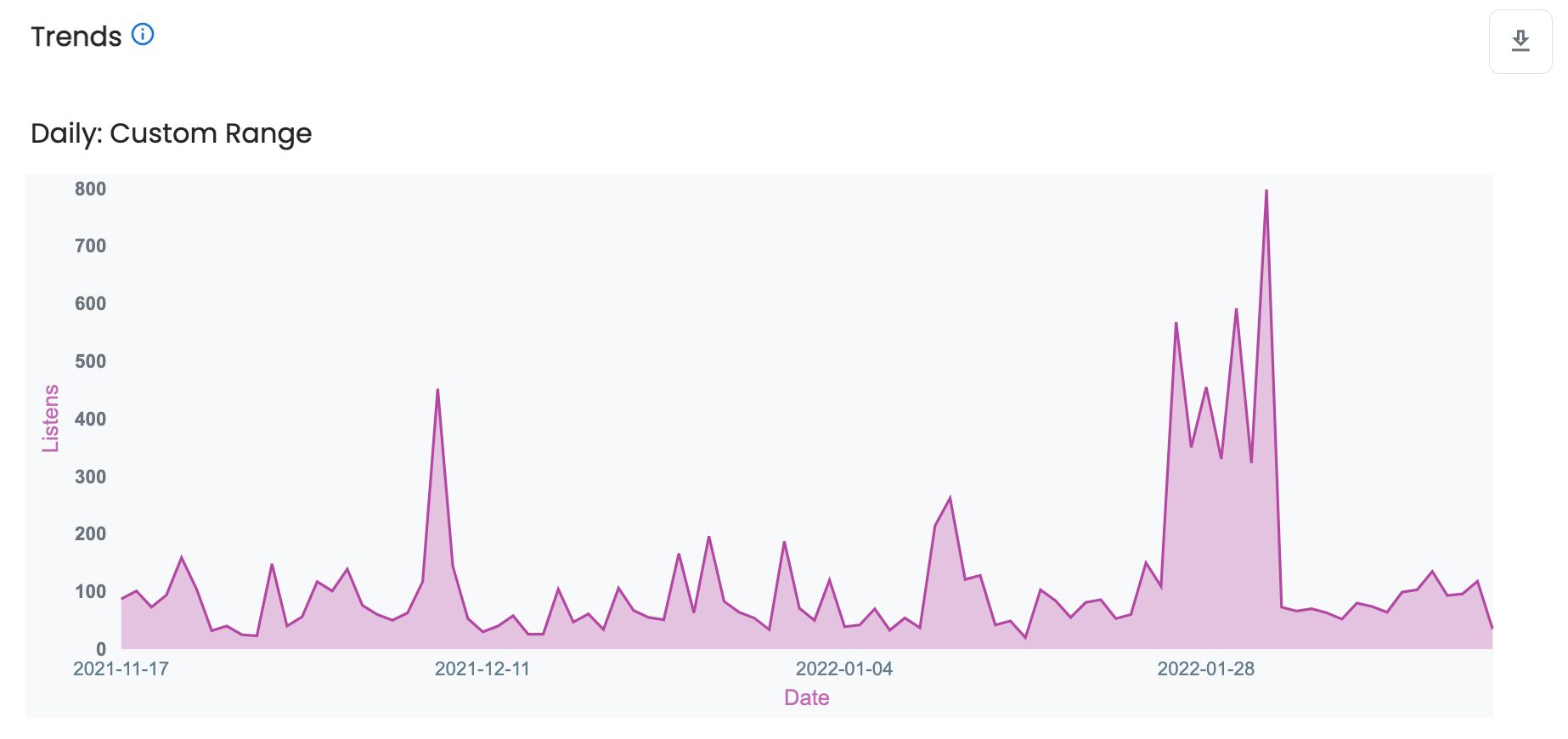
    Trends are exciting, as you can see summaries of this data that can be organized to be looked at in the following top-level for your show, episode level or even a specific range of time. You will see how many listens there are over time – from 30 days to 2 years – and track your podcast growth on a daily or monthly basis.


    At the episode level, you can even narrow your view to hourly for the first seven days an episode has been published.

    On a specific day or time of the year, you might notice that your podcast gains many downloads. So it’s a good idea to know when and why the show is doing well to find winning strategies in growing your show.

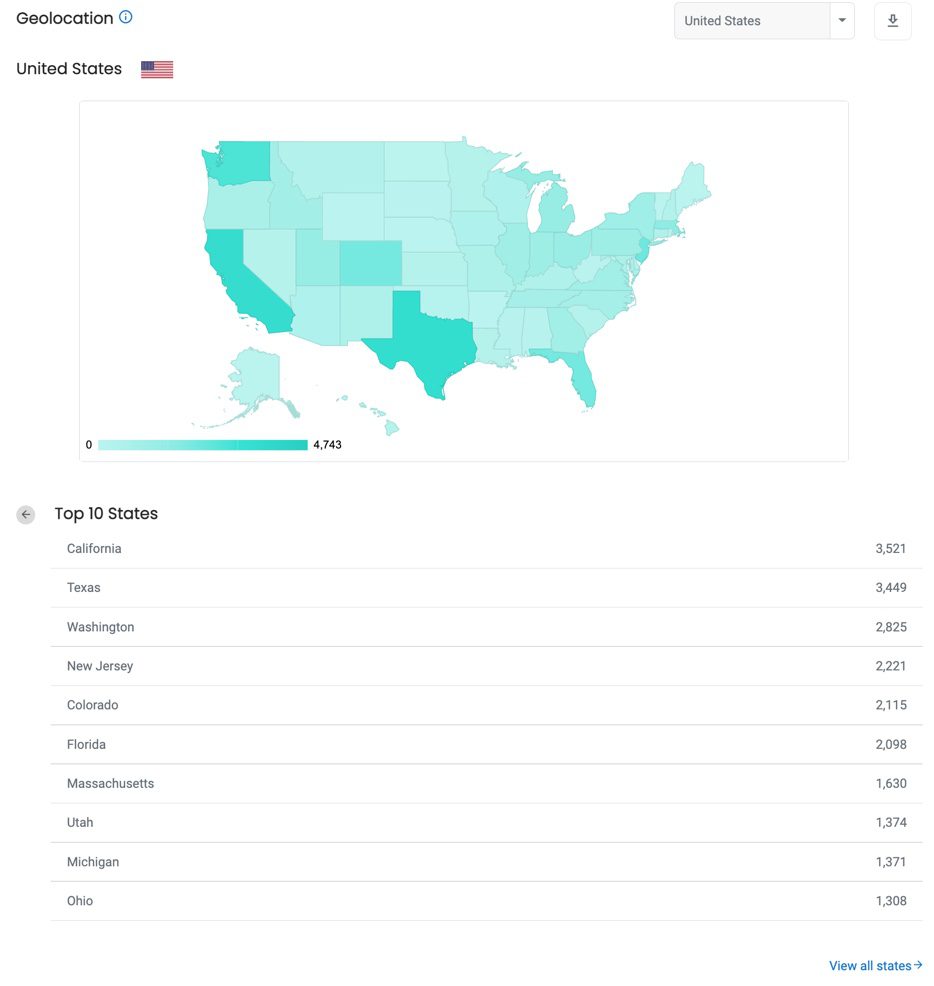
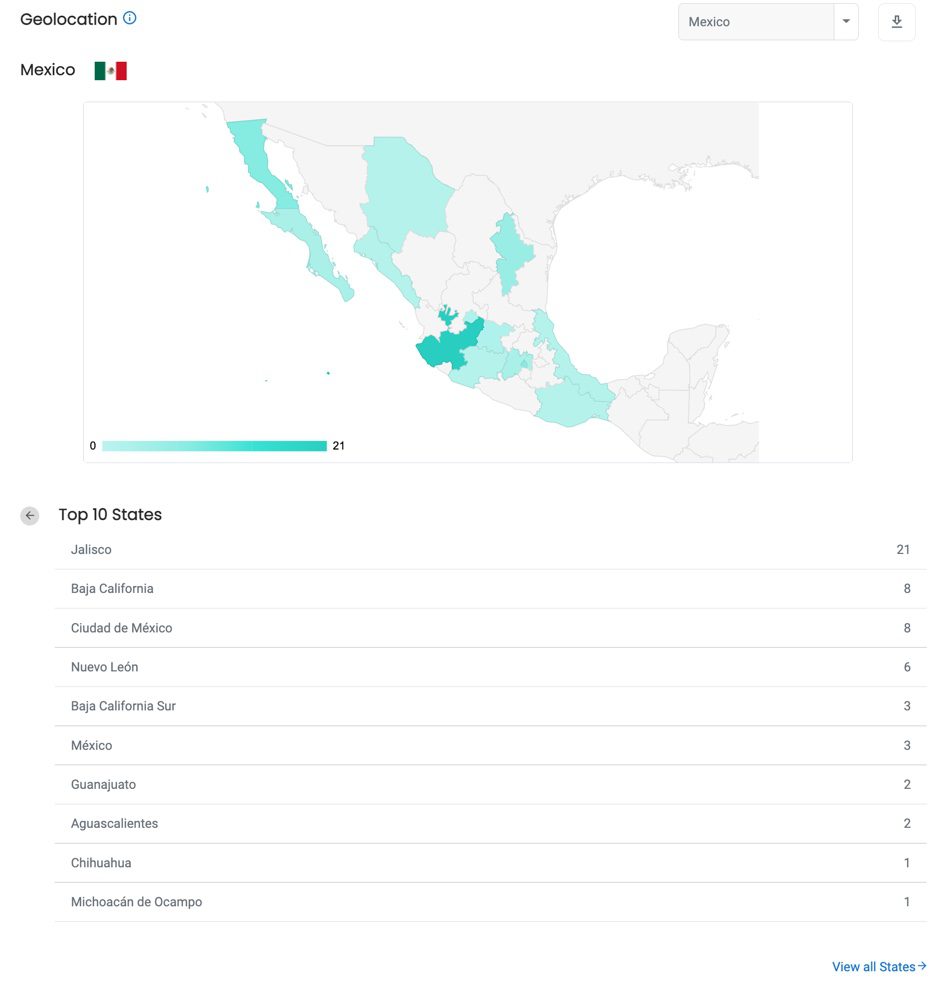
    Geolocation

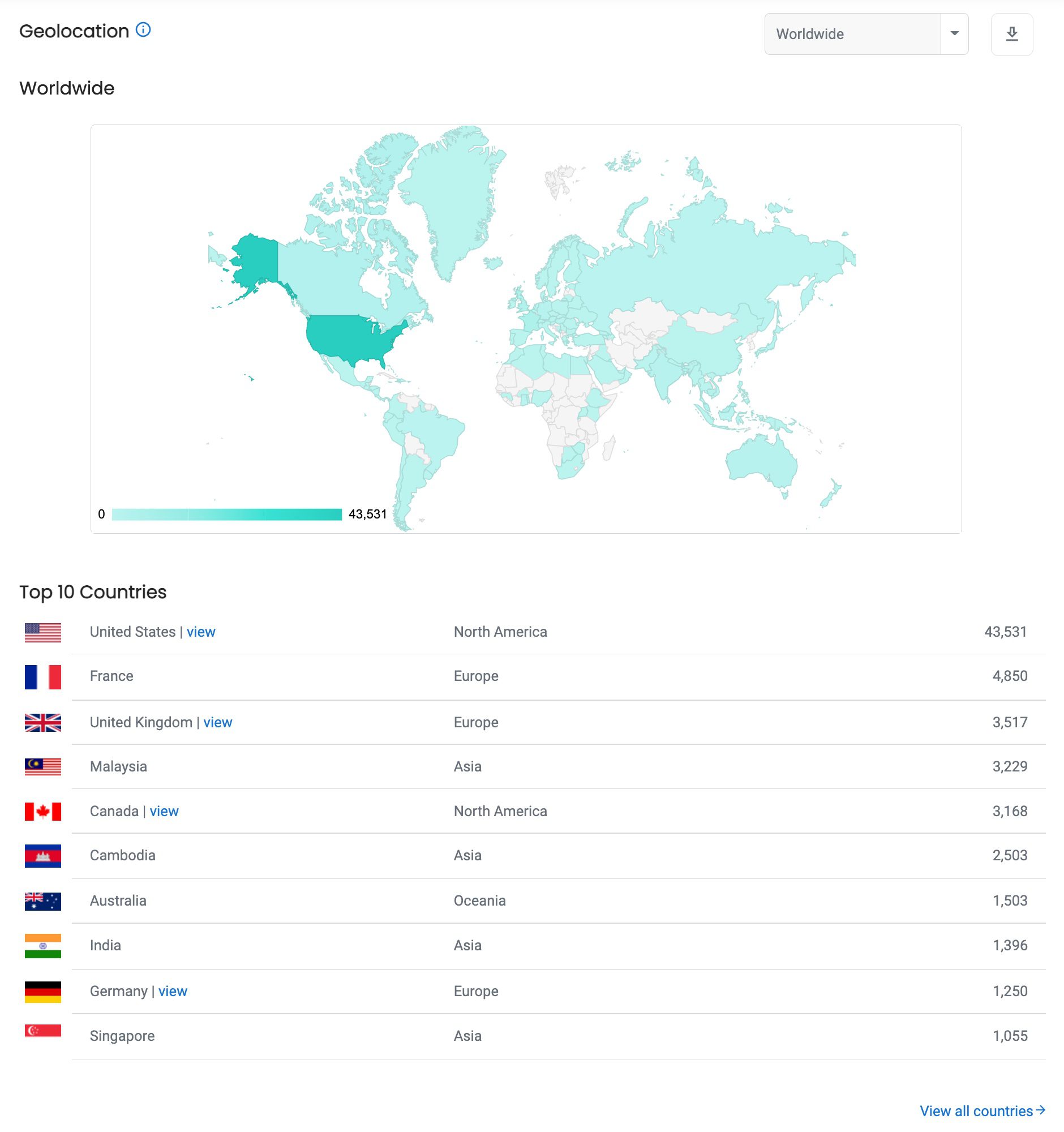
    Geolocation allows users to track where their audience is listening from. For countries such as the United States, Canada or Mexico, data will also be broken down into smaller regions, states and provinces. 

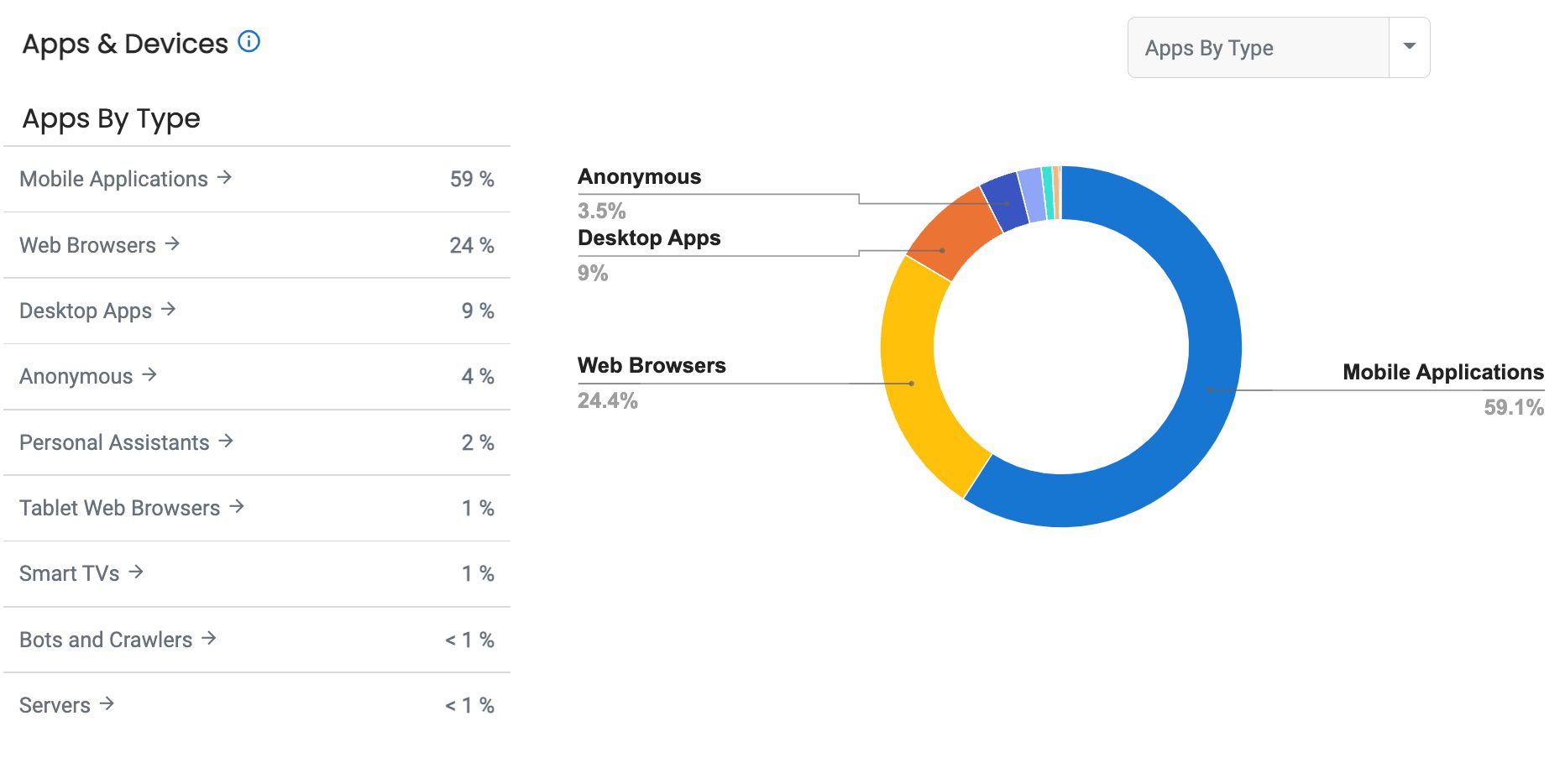
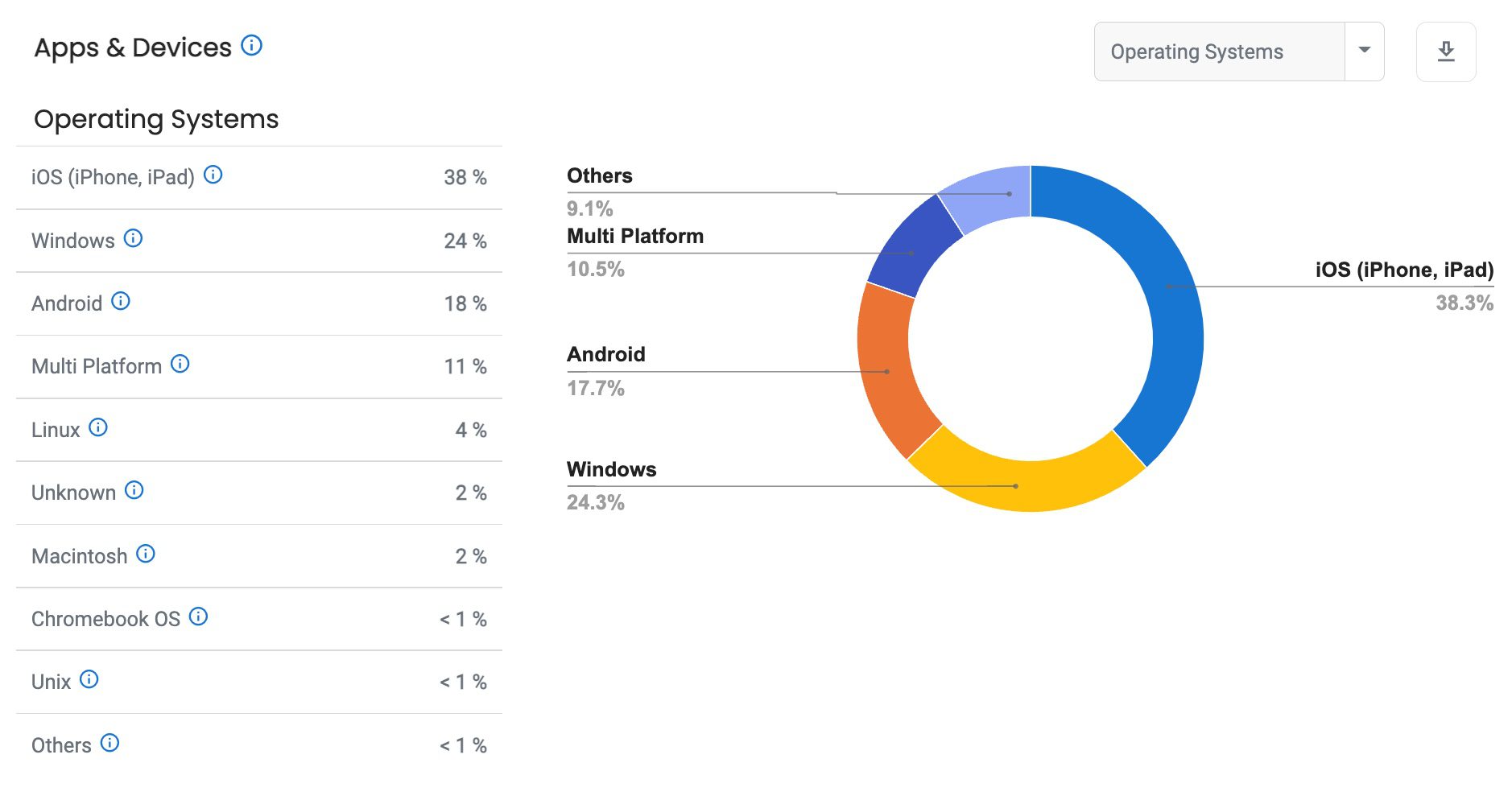
    Apps and Devices

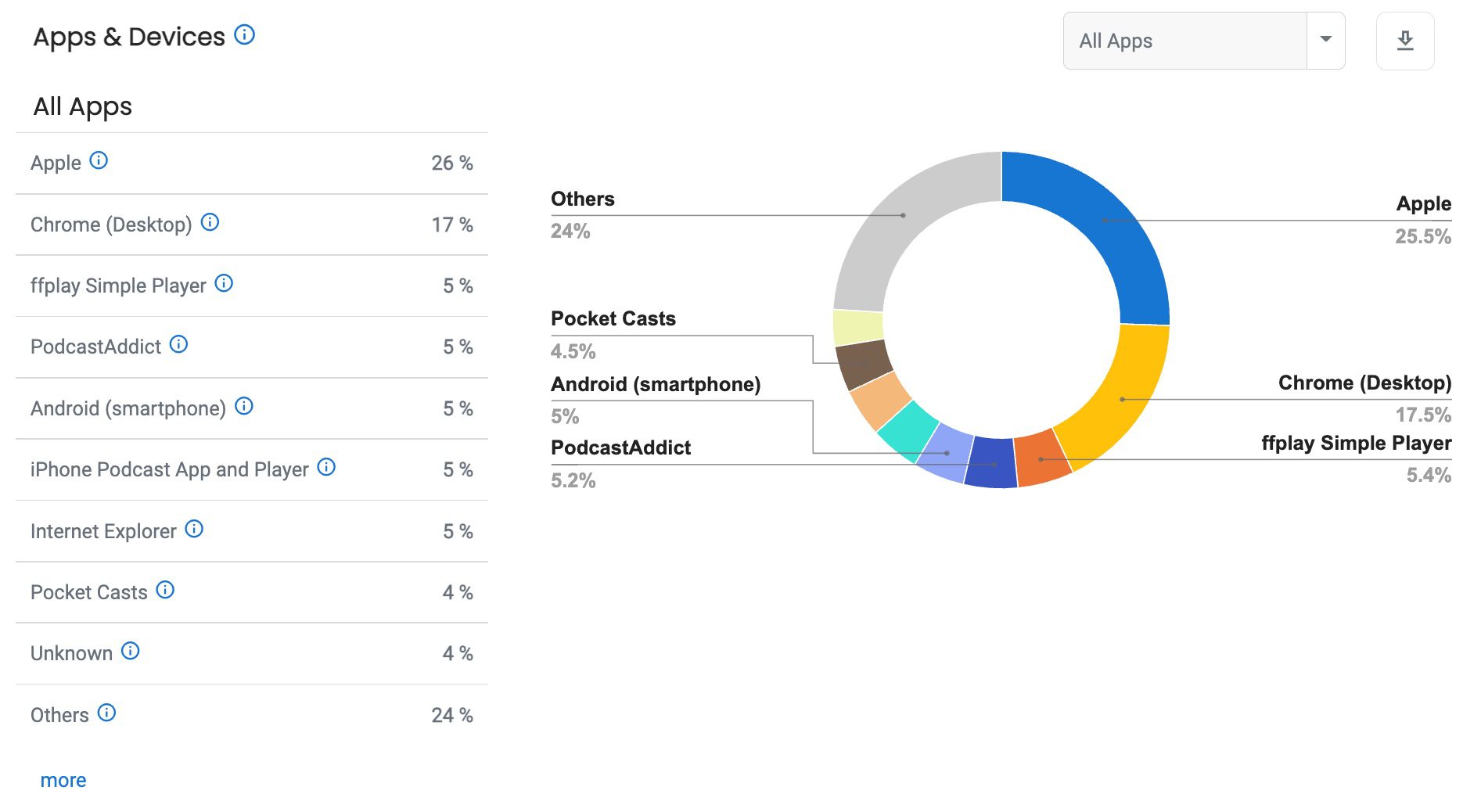
    Apps and Devices details how people listen – for example, Apple iOS or a Firefox browser,  iPhone or Android – or whether your listeners stream your podcast on Alexa or Apple Home Pod.


    “It’s enlightening to see the retention information…this will be helpful in designing my show content to engage the listener through to the end! I especially like that it’s available at the episode level….I can share this information with my advertisers to show their ads are being listened to. It will also help me see which types of content and length of episode get the most engagement….LOVE THIS FEATURE!!”

    — Maureen Usuna

    Get a free trial of Blubrry Podcast Statistics or sign up for free Podcast Hosting migration; and we provide all the support you need via phone, email or web conference call to make sure you’re on track. 

    We want to thank UI/UX designers Krissie and Aaron for putting countless hours into the design and the entire development team in making their vision become reality.