Category: Equipment

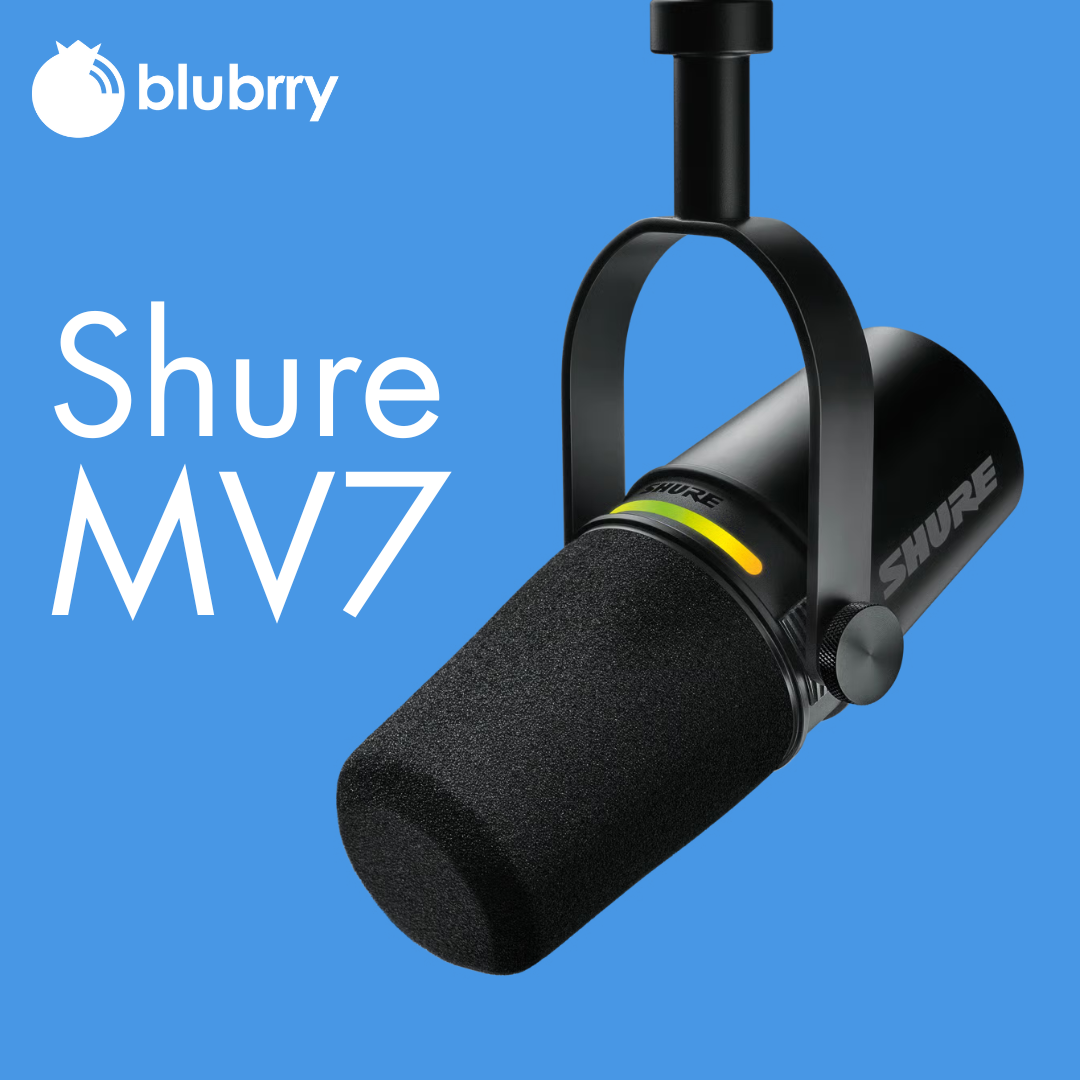
  • Why the Shure MV7 Is Still the Best Microphone for Podcasters in 2025

    Why the Shure MV7 Is Still the Best Microphone for Podcasters in 2025

    Disclaimer: We’re not affiliated with Shure, nor is this a sponsored review. At Blubrry, we simply recommend gear we believe serves podcasters best — tools that are reliable, creator-friendly, and proven through real-world use.

    Lets get started…
    shure-mv7

    If you’ve spent any time researching podcast microphones, you’ve probably seen the Shure MV7 at the top of just about every “best mic” list. And here’s the thing: in 2025, that hasn’t changed.

    Despite an explosion of new gear, AI tools, and upgraded audio interfaces, the Shure MV7 still stands out as the go-to microphone for podcasters — beginners and pros alike.

    So… why hasn’t anything dethroned it yet?

    Let’s break down exactly what makes the MV7 a powerhouse, why it continues to dominate podcasting setups, and why pairing your microphone with a rock-solid podcast hosting platform like Blubrry is the real winning combo.

    1. It Delivers Premium Sound Without a Complicated Setup

    The Shure MV7 is known for offering that rich, broadcast-quality sound podcasters want — without needing a huge learning curve or complex audio chain.

    With dual output options (XLR + USB), you get the best of both worlds:

    • USB mode for simple plug-and-play recording
    • XLR mode for advanced studio setups

    In 2025, podcasters want great sound fast. The MV7 nails that balance.

    2. It Reduces Room Noise… Even in Non-Studio Environments

    Not every podcaster has an acoustically treated space, and that’s okay.

    The MV7’s dynamic capsule and tight cardioid pickup pattern help:

    • Reduce background noise
    • Cut room echo
    • Focus on your voice

    That’s why you’ll often hear podcasters say things like, “I upgraded my mic and instantly sounded more professional.”

    Because with the MV7, you do.

    3. Built-In DSP Saves You Hours of Editing

    The ShurePlus MOTIV app (desktop + mobile) gives you access to:

    • Auto-Level Mode
    • EQ presets
    • Compression
    • Limiting

    You don’t have to be an audio engineer to sound polished. In 2025, creators want simplicity that still delivers pro results — and the MV7 is built exactly for that.

    4. It Grows With You as Your Podcast Grows

    Starting simple with USB?

    Scaling up to an interface and mixer later?

    The MV7 is ready for your journey.

    Because it supports both XLR and USB, you don’t have to replace your mic when you upgrade your studio. Most mics force you to choose one or the other — the MV7 does both.

    It’s the microphone that grows with your show.

    5. It’s Become the Podcasting Industry Standard

    Sure, new microphones release every year.

    But the MV7 has something many competitors don’t:

    Reputation + reliability.

    Podcasters trust it.

    Brands recommend it.

    Creators recognize its sound instantly.

    That’s why, even in 2025, the MV7 remains the mic everyone compares others to.

    But Here’s the Truth: A Great Microphone Is Only HALF the Equation

    Having a great microphone gives you better audio — but it doesn’t guarantee your podcast succeeds.

    Clear sound matters…

    But so does how you publish, distribute, and grow your podcast.

    This is where pairing your microphone with the right podcast hosting platform becomes essential.

    Why Blubrry Is the Perfect Partner for Your MV7

    Your microphone captures your story — Blubrry helps the world hear it.

    Here’s why podcasters choose Blubrry hosting:

    Publish Everywhere with One Click

    Apple Podcasts, Spotify, YouTube, and more — all through Blubrry’s Publisher Tool.

    Accurate, Industry-Certified Podcast Stats

    You need data to grow. Blubrry’s IAB-certified analytics show:

    • What episodes perform best
    • Where listeners tune in
    • How your audience grows over time

    Support From Actual Podcast Experts

    When you have questions, you talk to real people — not AI — who’ve been helping podcasters for 20+ years.

    Your Microphone Makes You Sound Good.

    Blubrry Helps You Get Heard.

    If you’re upgrading your microphone in 2025, the Shure MV7 is still the best choice for podcasters at any skill level.

    But pairing great audio with a reliable hosting platform is how you:

    • Reach new listeners
    • Grow your audience
    • Build a sustainable podcast
    • Honor the effort you put into sounding great

    So if you’re ready to match top-tier audio quality with top-tier podcast hosting, Blubrry is here to help you go further.
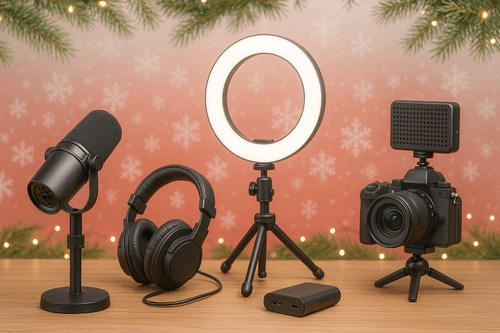
  • 🎁 2025 Holiday Gift Guide for Podcasters

    🎁 2025 Holiday Gift Guide for Podcasters

    Blubrry’s Holiday Gift Guide for the Podcaster in Your Life

    Fast Picks. Big Upgrades. No Guesswork.

    Starting a podcast? Ready to add video? Want to sound like a pro instead of a potato mic from 2010? We’ve got you.

    This guide is short, scannable, and built for podcasters — not generic YouTube creators. Because listeners bail on bad audio, and viewers scroll past boring video. These picks fix both.

    Let’s jump in.


    ⚡ Quick Picks: Best Gear Fast

    Category Top Choice Why
    Starter Mic Shure MV7 USB now, XLR later
    Pro Mic Shure SM7B Broadcast voice unlocked
    Best Video Camera Sony ZV-E10 II Creator-level 4K
    Best Webcam Logitech MX Brio 4K You’ll look crisp
    Best All-in-One Scarlett 2i2 Studio Everything to start
    Best Editing Value PowerDirector Drag. Drop. Done.
    Best Remote Guests Riverside.fm No more Zoom audio nightmares

    💸 Best Budget Bundles (Choose What Fits You)

    Budget What to Buy Why
    Under $250 Behringer XM8500 + Scarlett Solo Giant audio upgrade for tiny cost
    Under $500 Shure MV7 + solid webcam Sound legit + look decent
    Under $1,000 RØDE PodMic USB + ZV-E10 II Full podcast + YouTube setup

    🎙️ Pro tip: Upgrade audio first. Everyone notices.


    ⭐ Good → Better → Best

    (How you grow your setup)

    Level Audio Gear Video Gear
    GOOD XM8500 • Scarlett Solo Elgato FaceCam 4K
    BETTER PodMic USB • Vocaster Two Canon R50 • Key Light Air
    BEST SM7B • ATH-M50x Multi-cam + pro lighting grid

    🔥 Upgrade order: Mic → Lighting → Camera

    (Yes, lighting before camera. Trust us.)


    📹 Video Gear for Podcasters

    (60% of this guide because video = more reach)

    If you want new fans, your face needs screen time. Here’s the gear that makes people stop scrolling:

    Cameras + Capture

    Lighting + Stability

    On-the-Go Creators

    🎬 Videos → clips → TikTok, Reels, Shorts → more listeners.

    Yes, this is the way.


    🎙 Audio Gear That Makes You Sound Legit

    (40% of this guide because audio = loyalty)

    Think of this section as “avoid bad reviews” gear.

    🎧 Sound good first. Look good second.


    🔌 USB vs XLR (Real Talk)

    If you want… Buy…
    Zero fuss USB mic
    Pro sound + co-hosts XLR mic + interface
    Both Hybrid (hello again, MV7 💅)

    Simple. Done.


    🧰 Software That Speeds Up Everything

    Publish + grow with:

    • Blubrry Hosting — You own your show. Period.

    • Blubrry Pod2Vid — Audio → YouTube posts

    • Blubrry Vid2Pod — Videos → podcast feed

    The more you automate, the more you publish. 🎯


    🧭 What Should YOU Upgrade Next?

    Your Situation Upgrade First
    “My audio is meh.” A real mic
    “I want to post clips.” Key Light → camera
    “I record interviews.” Portable recorder
    “Editing takes forever.” Better software

    Think: What slows you down the most? Fix that.


    🎄 Final Thoughts

    Podcasting gear has evolved dramatically, and the best equipment today makes it easier than ever to record studio-quality content from home. Whether you’re improving sound, stepping into video, or building your first setup from scratch, these tools will help you sound —and look— like a pro.

    This holiday season, give (or get) the tools to create with confidence. And once your setup’s ready, let Blubrry help you publish, host, and grow your audience with ease.

    However you celebrate this season, we’re excited to hear your next episode.

    Happy podcasting — and happy holidays! 🎧✨

  • How to Record a Podcast Remotely

    How to Record a Podcast Remotely

    Record High-Quality Podcast Episodes — with Tips from Blubrry’s Dave Clements

    We all want the most incredible podcast guests, right? But what if they’re thousands of miles away? No problem. As Blubrry support analyst Dave Clements asks: “Ever booked a great guest, only to panic because they’re halfway across the country? Let me show you how to record high-quality podcast episodes remotely, without the tech headaches.”

    Nowadays, remote recording is no longer optional — it’s essential. Whether your co-host is in a different time zone or your expert guest is traveling, you can still capture a professional-quality episode if you plan smartly.

    Get the Right Tools

    Dave reminds us of the early days: “Back in the day, we had Skype and double-enders, which… yeah. Those were some rough times.” Fortunately, tools like Riverside, SquadCast, and Zoom have changed the game. Choose platforms that record locally on both ends and offer separate audio tracks to streamline your editing. “Always run a test call before the real thing,” Dave advises, “and always remember to hit Record.”

    Prep Your Guest Like a Pro

    Blank checklistDon’t assume your guest knows the ropes. “Send a quick checklist,” Dave says, with equipment basics like using headphones, choosing a quiet space, and avoiding built-in laptop mics. And if they’re unfamiliar with the recording software, schedule a five-minute tech check beforehand — it can save hours of editing later.

    Backup, Backup, Backup

    Glitches happen. That’s why Dave urges podcasters to “always have a backup.” Whether it’s QuickTime, Audacity, or a secondary Zoom recording, redundancy ensures your episode isn’t lost to a technical hiccup.

    Create a Great Audio and Video Experience

    A strong internet connection helps, but it’s not everything. Ask your guest to sit near their router or use an Ethernet cable to connect. And if you’re using video, Dave offers this tip: “Check their camera angle — no one wants to stare up someone’s nose for 45 minutes.”

    When it comes to audio, “You can only polish bad audio so much,” Dave warns. Encourage your guest to use an external microphone or, at the very least, avoid echo-prone rooms. Monitor levels as you go, and don’t be afraid to pause and fix issues in real time.

    Foster Natural Conversation — Even Remotely

    Remote doesn’t have to mean disconnected. “Start with a casual pre-recording chat to warm up and build rapport,” Dave suggests. “When the guest feels relaxed, the conversation flows better—and listeners can tell.” Eye contact, body language, and active listening all contribute to a more cohesive and engaging episode.

    Don’t Skip Post-Production Polish

    Remote audio often needs a bit of TLC. Dave recommends using noise reduction, EQ, and compression to balance voices. “If you recorded separate tracks — thank yourself later,” he adds, “It makes editing smoother and lets you fix audio issues on one side without affecting the other.” Check out our media mastering options with Auphonic and/or our Professional Production options!
    Final Checklist Before You Hit Record

    Dave wraps up with a must-do checklist:

    • Quiet space? ✅
    • Headphones on? ✅
    • Mic and levels checked? ✅
    • Backup recording rolling? ✅
    • Guest feels confident? ✅

    “Now you can hit record with peace of mind, not crossed fingers,” he says.

    With the right preparation and tools, remote podcasting can feel just as connected and dynamic as being in the same room. As Dave puts it, “Remote podcasting doesn’t have to be risky or messy. With a few smart steps, you’ll sound like you’re in the same room—even if you’re miles apart.”

    Now go record something amazing!


  • Podcast Equipment Essentials for Beginners

    Podcast Equipment Essentials for Beginners

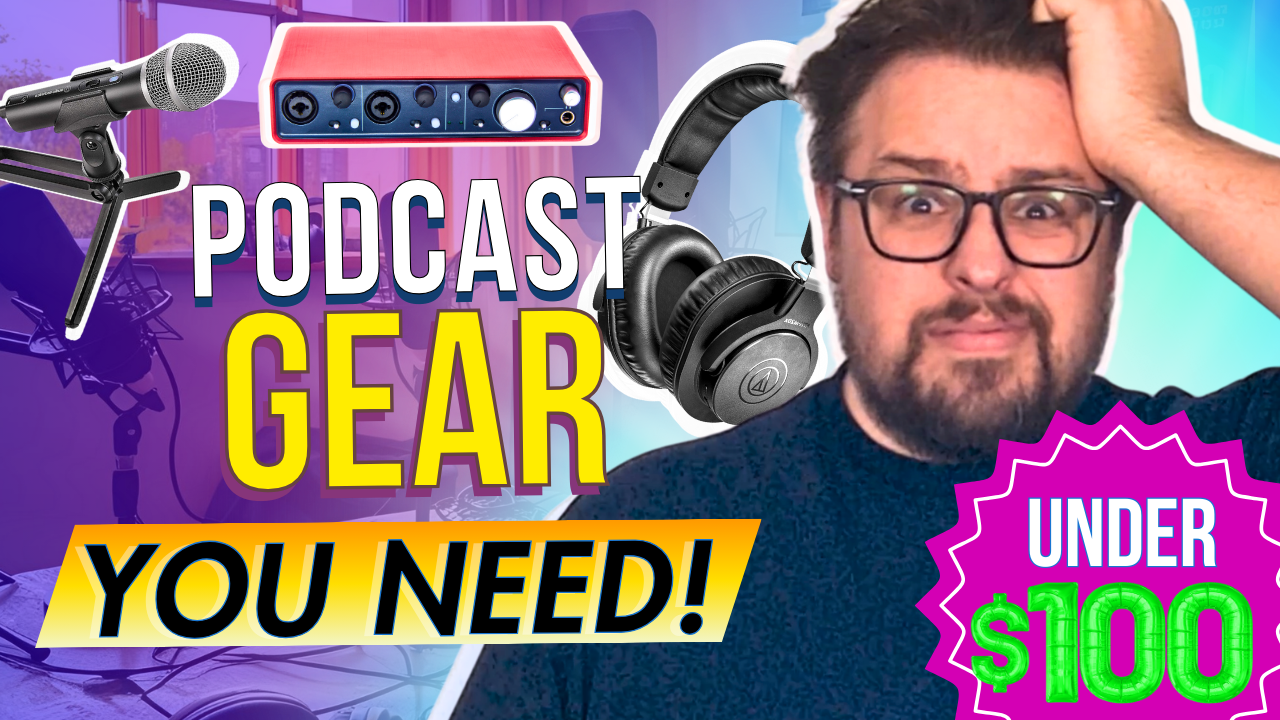
    This informative video guide walks through essential podcast equipment for those starting on a budget. The presentation focuses on five key areas: microphones, headphones, audio interfaces, editing software, and audio mastering. Blubrry tech analyst Dave Clements emphasizes that quality podcasting is possible without breaking the bank, highlighting affordable yet professional-grade equipment options that all come in under $100 for essential components.

    “Starting a podcast doesn’t have to be expensive. You don’t need a massive studio or top-of-the-line gear to create a great-sounding show,”  he tells us. In the embedded video, Dave walks you through the best podcast equipment for beginners—all for under $100.

    “Whether on a tight budget or just testing the waters, these affordable options will help you get started without breaking the bank.”

    Essential Podcast Equipment for Beginners

    The equipment needed to launch a podcast doesn’t have to break the bank. In fact, you could start a podcast using simply your smartphone and some free audio editing equipment such as Audacity. That said, quality of content is key when it comes to building a successful podcast. Thus, here’s a comprehensive guide to the basic equipment will want to launch your show with professional sound quality.

    Core Equipment (prices may vary)

    “The most important piece of podcasting equipment is a good microphone. And you don’t have to spend a fortune to get quality sound.”

    1. Microphone ($50-$300)

    The microphone is your most crucial investment. Popular entry-level options include:

    • Blue Yeti USB Microphone ($130) – Excellent all-around USB microphone with multiple pattern settings
    • Audio-Technica ATR2100x-USB ($99) – Dynamic microphone that reduces background noise
    • Rode PodMic ($99) – Professional-grade dynamic microphone requiring an audio interface

    2. Headphones ($50-$200)

    “Headphones are necessary since they help you to hear yourself and help control your speaking clarity. They also help you catch background noise, mic pops, or any weird audio issues before they ruin your recording.”

    Closed-back headphones are essential for monitoring your audio. Recommended options:

    3. Audio Interface ($100-200)

    Required for XLR microphones:

    • Focusrite Scarlett Solo ($120) – Popular single-input interface
    • PreSonus AudioBox ($100) – Reliable dual-input option

    4. Recording Software (Free-$300)

    Several options are available depending on your needs:

    • Audacity (Free) – Perfect for beginners
    • GarageBand (Free for Mac) – User-friendly with good features
    • Hindenburg ($95) – Designed specifically for podcasting

    Additional Accessories

    “Even with a great mic, your audio may need some fine-tuning. That’s where Blubrry’s Media Mastering, powered by Auphonic, comes in.”

    And don’t forget these important extras:

    • Microphone stand or boom arm ($20-$40)
    • Pop filter ($10-$20)
    • XLR cables (if using XLR microphone) ($15-$30)
    • Shock mount ($20-$40)

    Total Investment

    • Basic Setup: $200-500
    • Professional Entry-Level Setup: $500-$1,000

    Next Steps: Upgrading Your Setup

    “Once you’ve recorded your episode, the next step is editing. The good news? You don’t need expensive software or years of experience to make your podcast sound professional.”

    Once your podcast is established, consider these upgrades:

    Advanced Equipment Upgrades

    While somewhat rare, many of these companies do offer sales and discounts throughought the year. A few years back MacKenzie from the team bought the new Shure SM7B on sale at Podcast Movement (they had their own booth!). And while it was a pretty penny upfront, she hasn’t made an issue with it since the day she bought the microphone.

    Studio Improvements

    • Acoustic Treatment: Sound panels and bass traps ($200-500)
    • Multiple Microphone Setup: For in-person guests ($500-1000)
      • P.S. Soon, we’ll make finding and even becoming a top-rated guest easy with our Guest Match Pro service! Stay tuned!
    • Mixer: Rodecaster Pro II ($699) or Zoom PodTrak P8 ($499)

    Remember, while good equipment is important, content remains king. Start with the basics and upgrade as your audience and needs grow. Focus on creating engaging content and maintaining consistent audio quality before investing in advanced equipment.

    Choosing the Right Podcast Host

    Selecting the right podcast hosting platform is crucial for your podcast’s success. A reliable host like Blubrry Podcasting provides essential features that help manage and grow your show effectively. Professional hosting platforms offer secure file storage, bandwidth management, and detailed analytics to track your audience’s engagement. With Blubrry Podcasting, you get access to industry-trusted statistics and comprehensive overviews of your podcast’s performance, allowing you to make data-driven decisions about your content strategy. Additionally, a professional hosting service ensures your episodes are distributed reliably across all major podcast directories and provides the necessary RSS feed management tools to maintain your show’s presence across platforms.

    Pro Tip: Consider investing in a backup recording solution and extra cables. Technical issues can arise at any time, and having backups ensures you never miss recording an episode.