Category: Audio

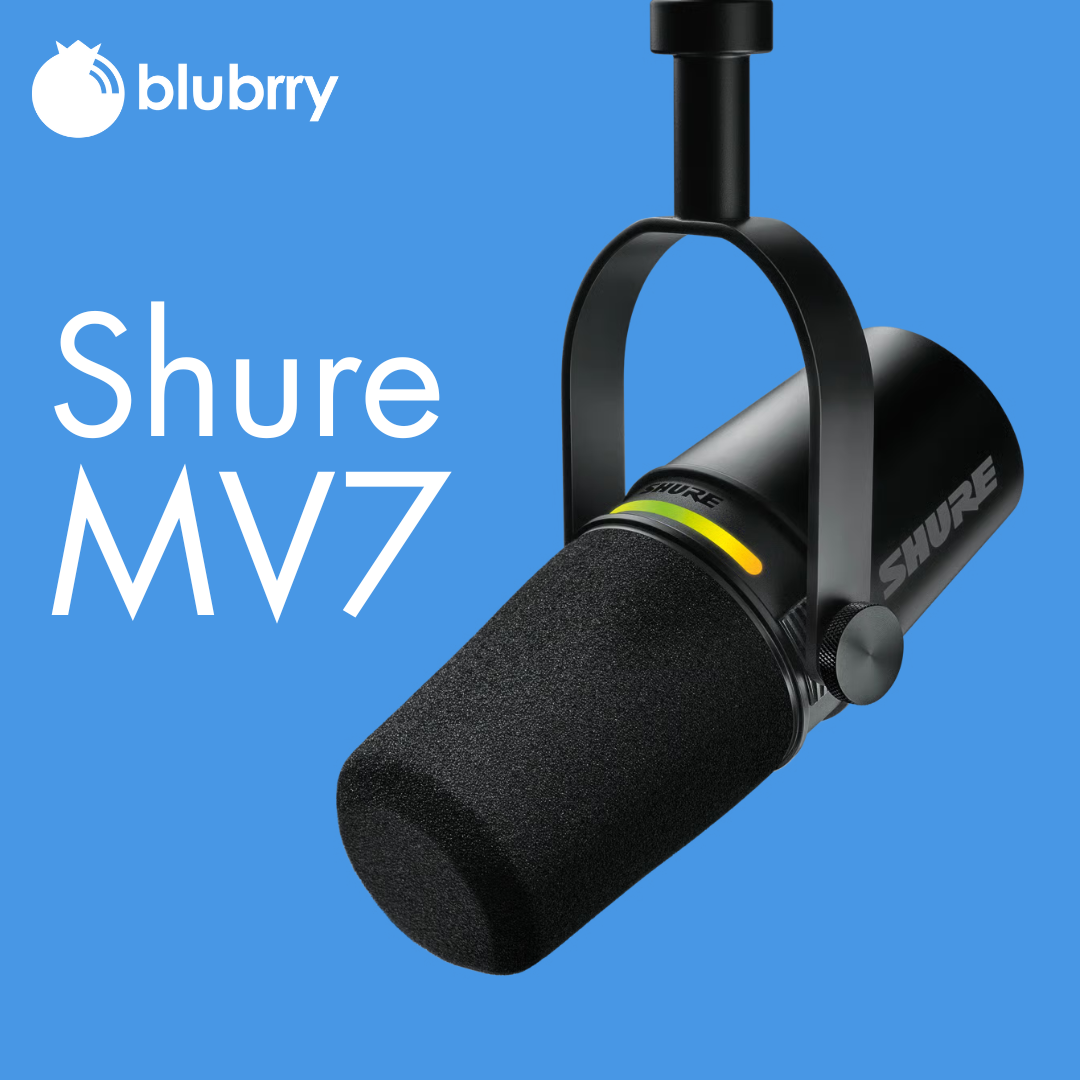
  • Why the Shure MV7 Is Still the Best Microphone for Podcasters in 2025

    Why the Shure MV7 Is Still the Best Microphone for Podcasters in 2025

    Disclaimer: We’re not affiliated with Shure, nor is this a sponsored review. At Blubrry, we simply recommend gear we believe serves podcasters best — tools that are reliable, creator-friendly, and proven through real-world use.

    Lets get started…
    shure-mv7

    If you’ve spent any time researching podcast microphones, you’ve probably seen the Shure MV7 at the top of just about every “best mic” list. And here’s the thing: in 2025, that hasn’t changed.

    Despite an explosion of new gear, AI tools, and upgraded audio interfaces, the Shure MV7 still stands out as the go-to microphone for podcasters — beginners and pros alike.

    So… why hasn’t anything dethroned it yet?

    Let’s break down exactly what makes the MV7 a powerhouse, why it continues to dominate podcasting setups, and why pairing your microphone with a rock-solid podcast hosting platform like Blubrry is the real winning combo.

    1. It Delivers Premium Sound Without a Complicated Setup

    The Shure MV7 is known for offering that rich, broadcast-quality sound podcasters want — without needing a huge learning curve or complex audio chain.

    With dual output options (XLR + USB), you get the best of both worlds:

    • USB mode for simple plug-and-play recording
    • XLR mode for advanced studio setups

    In 2025, podcasters want great sound fast. The MV7 nails that balance.

    2. It Reduces Room Noise… Even in Non-Studio Environments

    Not every podcaster has an acoustically treated space, and that’s okay.

    The MV7’s dynamic capsule and tight cardioid pickup pattern help:

    • Reduce background noise
    • Cut room echo
    • Focus on your voice

    That’s why you’ll often hear podcasters say things like, “I upgraded my mic and instantly sounded more professional.”

    Because with the MV7, you do.

    3. Built-In DSP Saves You Hours of Editing

    The ShurePlus MOTIV app (desktop + mobile) gives you access to:

    • Auto-Level Mode
    • EQ presets
    • Compression
    • Limiting

    You don’t have to be an audio engineer to sound polished. In 2025, creators want simplicity that still delivers pro results — and the MV7 is built exactly for that.

    4. It Grows With You as Your Podcast Grows

    Starting simple with USB?

    Scaling up to an interface and mixer later?

    The MV7 is ready for your journey.

    Because it supports both XLR and USB, you don’t have to replace your mic when you upgrade your studio. Most mics force you to choose one or the other — the MV7 does both.

    It’s the microphone that grows with your show.

    5. It’s Become the Podcasting Industry Standard

    Sure, new microphones release every year.

    But the MV7 has something many competitors don’t:

    Reputation + reliability.

    Podcasters trust it.

    Brands recommend it.

    Creators recognize its sound instantly.

    That’s why, even in 2025, the MV7 remains the mic everyone compares others to.

    But Here’s the Truth: A Great Microphone Is Only HALF the Equation

    Having a great microphone gives you better audio — but it doesn’t guarantee your podcast succeeds.

    Clear sound matters…

    But so does how you publish, distribute, and grow your podcast.

    This is where pairing your microphone with the right podcast hosting platform becomes essential.

    Why Blubrry Is the Perfect Partner for Your MV7

    Your microphone captures your story — Blubrry helps the world hear it.

    Here’s why podcasters choose Blubrry hosting:

    Publish Everywhere with One Click

    Apple Podcasts, Spotify, YouTube, and more — all through Blubrry’s Publisher Tool.

    Accurate, Industry-Certified Podcast Stats

    You need data to grow. Blubrry’s IAB-certified analytics show:

    • What episodes perform best
    • Where listeners tune in
    • How your audience grows over time

    Support From Actual Podcast Experts

    When you have questions, you talk to real people — not AI — who’ve been helping podcasters for 20+ years.

    Your Microphone Makes You Sound Good.

    Blubrry Helps You Get Heard.

    If you’re upgrading your microphone in 2025, the Shure MV7 is still the best choice for podcasters at any skill level.

    But pairing great audio with a reliable hosting platform is how you:

    • Reach new listeners
    • Grow your audience
    • Build a sustainable podcast
    • Honor the effort you put into sounding great

    So if you’re ready to match top-tier audio quality with top-tier podcast hosting, Blubrry is here to help you go further.
  • How to Record a Podcast Remotely

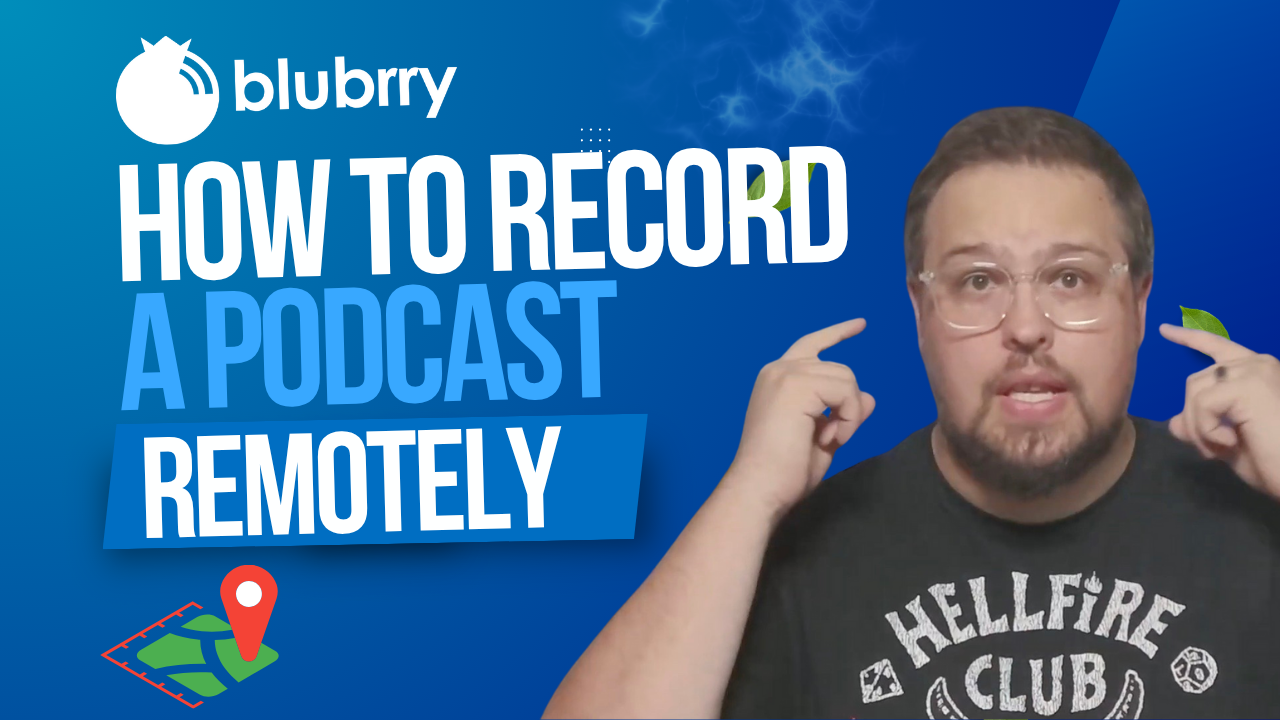
    How to Record a Podcast Remotely

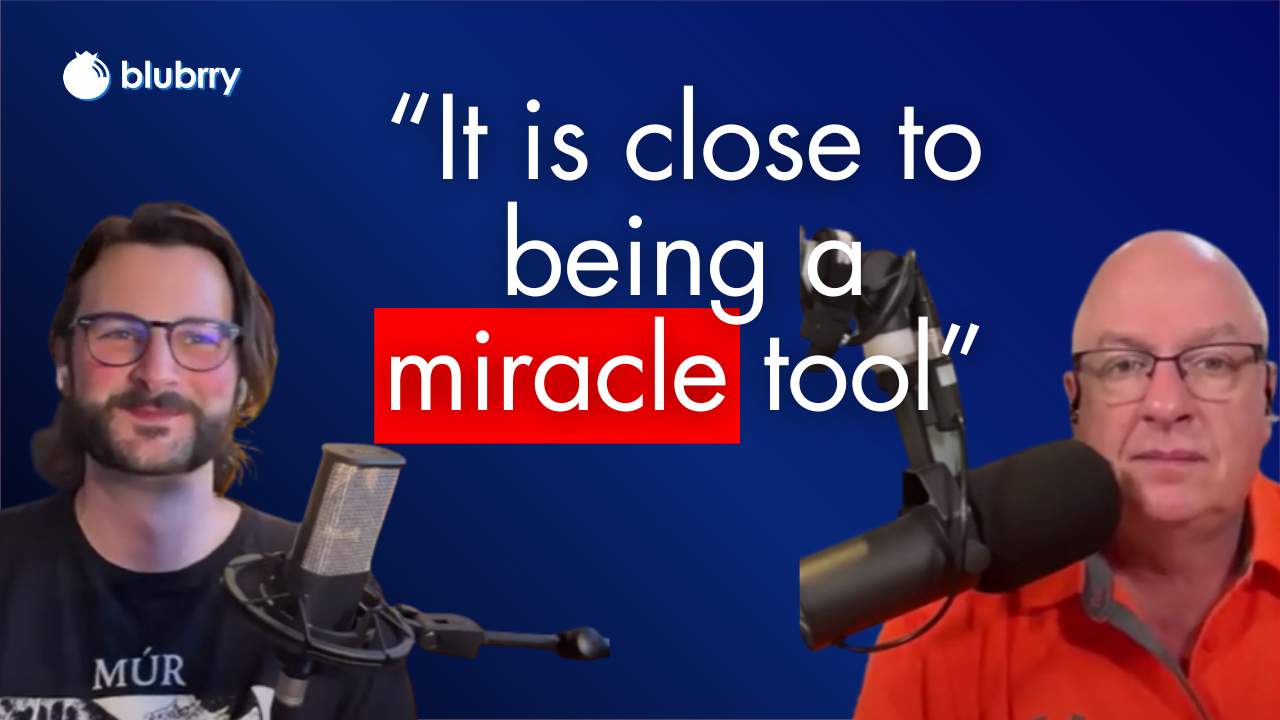
    Record High-Quality Podcast Episodes — with Tips from Blubrry’s Dave Clements

    We all want the most incredible podcast guests, right? But what if they’re thousands of miles away? No problem. As Blubrry support analyst Dave Clements asks: “Ever booked a great guest, only to panic because they’re halfway across the country? Let me show you how to record high-quality podcast episodes remotely, without the tech headaches.”

    Nowadays, remote recording is no longer optional — it’s essential. Whether your co-host is in a different time zone or your expert guest is traveling, you can still capture a professional-quality episode if you plan smartly.

    Get the Right Tools

    Dave reminds us of the early days: “Back in the day, we had Skype and double-enders, which… yeah. Those were some rough times.” Fortunately, tools like Riverside, SquadCast, and Zoom have changed the game. Choose platforms that record locally on both ends and offer separate audio tracks to streamline your editing. “Always run a test call before the real thing,” Dave advises, “and always remember to hit Record.”

    Prep Your Guest Like a Pro

    Blank checklistDon’t assume your guest knows the ropes. “Send a quick checklist,” Dave says, with equipment basics like using headphones, choosing a quiet space, and avoiding built-in laptop mics. And if they’re unfamiliar with the recording software, schedule a five-minute tech check beforehand — it can save hours of editing later.

    Backup, Backup, Backup

    Glitches happen. That’s why Dave urges podcasters to “always have a backup.” Whether it’s QuickTime, Audacity, or a secondary Zoom recording, redundancy ensures your episode isn’t lost to a technical hiccup.

    Create a Great Audio and Video Experience

    A strong internet connection helps, but it’s not everything. Ask your guest to sit near their router or use an Ethernet cable to connect. And if you’re using video, Dave offers this tip: “Check their camera angle — no one wants to stare up someone’s nose for 45 minutes.”

    When it comes to audio, “You can only polish bad audio so much,” Dave warns. Encourage your guest to use an external microphone or, at the very least, avoid echo-prone rooms. Monitor levels as you go, and don’t be afraid to pause and fix issues in real time.

    Foster Natural Conversation — Even Remotely

    Remote doesn’t have to mean disconnected. “Start with a casual pre-recording chat to warm up and build rapport,” Dave suggests. “When the guest feels relaxed, the conversation flows better—and listeners can tell.” Eye contact, body language, and active listening all contribute to a more cohesive and engaging episode.

    Don’t Skip Post-Production Polish

    Remote audio often needs a bit of TLC. Dave recommends using noise reduction, EQ, and compression to balance voices. “If you recorded separate tracks — thank yourself later,” he adds, “It makes editing smoother and lets you fix audio issues on one side without affecting the other.” Check out our media mastering options with Auphonic and/or our Professional Production options!
    Final Checklist Before You Hit Record

    Dave wraps up with a must-do checklist:

    • Quiet space? ✅
    • Headphones on? ✅
    • Mic and levels checked? ✅
    • Backup recording rolling? ✅
    • Guest feels confident? ✅

    “Now you can hit record with peace of mind, not crossed fingers,” he says.

    With the right preparation and tools, remote podcasting can feel just as connected and dynamic as being in the same room. As Dave puts it, “Remote podcasting doesn’t have to be risky or messy. With a few smart steps, you’ll sound like you’re in the same room—even if you’re miles apart.”

    Now go record something amazing!


  • Christopher Grasser: Fantastic Audio is Automatic with Auphonic

    Christopher Grasser: Fantastic Audio is Automatic with Auphonic

    In a special edition of Podcast Insider, Blubrry CEO Todd Cochrane sat down with Christopher Grasser of Auphonic, the powerful audio post-production tool that many Blubrry customers rely on to master their podcast audio. What followed was a deep dive into how Auphonic works, why it matters, and what it means for podcasters, from seasoned professionals to beginners recording in their closets.
    Auphonic, now a staple in Blubrry’s media mastering integration, began over a decade ago with a simple idea: make professional-quality audio accessible to anyone.

    Where it Began

    “Our CEO Georg (Holzmann), was an avid podcast listener who noticed there were so many problems with podcast audio,” Christopher explained. “He thought, could there be a way to automate this process for people who aren’t audio engineers?”

    That vision became Auphonic — a tool that automates the most tedious aspects of audio production, such as leveling, noise reduction, and normalization. “We aim to be a toolbox for speech audio. If you drop in a file and have a problem, we’ll try to fix it—automatically.”

    Todd, who’s been podcasting since the early days, recalls how painful the audio editing process used to be.

    “You had to be a rocket scientist to do leveling in Audition or Audacity,” he said. “When I first tried Auphonic, I was like, ‘Bada bing, bada boom!’ The audio came back, and no more complaints from listeners.”

    That ease of use is intentional. “We pre-set the most important settings because if we gave podcasters a giant menu, they’d say, ‘I don’t know what to do with this,’” Christopher said with a laugh.

    The heart of Auphonic lies in its intelligent automation. Once a WAV or MP3 file is uploaded, the software analyzes the file, classifying what is speech, what is music, and what is noise, and then processes it based on the selected preferences.

    “We normalize, level, de-noise, de-reverb, and even offer transcription and silence cutting,” said Christopher. “And we’re always improving.”

    Behind the scenes, Auphonic is powered by proprietary AI models, many of which are trained by audio engineers and data scientists. “We have training servers running 24/7,” Christopher said. “We’re constantly refining our algorithms using feedback from real-world audio.”

    A Wide Range of Uses

    That real-world usage includes everything from indie podcasters to broadcasters and audiobook creators. But Christopher is clear about one thing: “We specialize in speech, not music mastering. If you’re producing a meditation podcast or an interview show, we’re your people.”

    One of the more impressive capabilities Auphonic has developed is dynamic noise reduction — perfect for podcasters who don’t record in acoustically-treated studios. “The difference between a $400 mic setup and a USB mic plugged into a laptop doesn’t matter as much anymore,” Todd noted. “Auphonic evens it out so well, even I can’t always tell the difference.”

    But what about the finer controls, such as trimming filler words or silence? Auphonic now includes optional features for those, too. “We offer customizable de-breathing, filler word detection, and silence removal,” Christopher explained. “It’s all about giving people the choice while keeping output consistent.”

    For those who want more granular control, an upcoming editor will allow users to adjust cuts manually and reprocess audio with personalized tweaks. “AI gets you 80% of the way,” Christopher said. “We want to offer the last 20% for those who need it.”

    Todd summed up what many podcasters are likely feeling: “I just want a mastered audio file I can publish—without my audience riding the volume knob.” With Auphonic, that’s exactly what they get.

    Whether you’re using Auphonic via Blubrry’s media mastering feature or directly through their site, one thing is clear: professional-sounding audio is now within every podcaster’s reach.

  • The Science of Sound

    The Science of Sound

    How Audio Frequencies, Compression, and Loudness Affect Your Listener’s Experience

    Science of Sound, LGBTQPodcasters pour their hearts into crafting compelling narratives, interviewing fascinating guests, and delivering content they know their audiences will love. But there’s another crucial layer — often overlooked — that can elevate a podcast from “pretty good” to truly captivating: the science of sound.

    At Blubrry, we’ve known all along that when your audio is mastered with care and understanding, it doesn’t just sound better, it feels better. It connects with the listener on a sensory level, drawing them in, keeping them engaged, and ensuring that your voice resonates both literally and figuratively.

    We have partnered with Auphonic for that basic yet imperative reason: To help you refine your audio to best captivate your audience and grow your show.

    Here are three essential concepts that can help your podcast titillate the auditory senses: frequencies, compression, and loudness.


    🎚️ Frequencies: Shaping the Sonic Spectrum

    Sound is made up of frequencies, which are essentially the vibrations that travel through the air and into your listener’s ears. Humans can hear from about 20 Hz (deep bass) to 20,000 Hz (high treble). But not all frequencies are created equal when it comes to podcasting.

    • Low frequencies (20–200 Hz) create warmth and depth, great for music beds or rich-sounding voices.
    • Midrange frequencies (200–5,000 Hz) are where most of the human voice lives.
    • High frequencies (5,000–20,000 Hz) add clarity and crispness—think of “s” sounds or the shimmer of a hi-hat in music.

    Through equalization (EQ), podcasters can adjust these ranges to bring out the best in their recordings. Have a muffled guest interview? Boosting the upper mids can make their voice sparkle. Got an echoey room? Cutting certain low mids can tame the boom.


    🧰 Compression: The Unsung Hero of Listenability

    Imagine you’re on a walk, listening to your favorite podcast. One minute, the host is whispering a heartfelt story; the next, a guest laughs loudly into the mic. You fumble with the volume. Annoying, right?

    This is where compression comes in.

    Compression smooths out volume spikes and boosts quieter sounds, making the audio more consistent. It doesn’t squash emotion — it simply keeps everything within a pleasant dynamic range.

    • Too little compression, and your listener will ride the volume button.
    • Too much, and the audio feels flat and lifeless.

    Great mastering uses compression to maintain emotional nuance while ensuring clarity and comfort.

    Real-world example: Popular true crime podcasts like Serial use compression artfully, letting whispers feel intimate and loud moments stay impactful, without overwhelming the listener.


    📏 Loudness and LUFS: Why Volume Consistency Matters

    Here’s a little-known secret: different podcast platforms (Spotify, Apple, etc.) automatically adjust your audio’s volume to match their standards.

    Enter LUFS — loudness units relative to full scale — a measurement of perceived loudness over time.

    • The sweet spot for most podcasts? 16 LUFS for stereo, 19 LUFS for mono.
    • Too loud? Your podcast will be turned down automatically.
    • Too quiet? It might sound weak and get lost in noisy environments (like a subway commute).

    Mastering your audio to the correct LUFS ensures your show sounds consistent with others in your niche. It also shows respect for your listener’s ears—no jarring jumps or murky whispers.

    Real-world example: Compare your audio with a professionally mastered podcast using free tools like Auphonic or Youlean Loudness Meter—you’ll hear the difference.


    🧠 The Sensory Payoff: Sound as a Psychological Tool

    Science tells us that our brains are deeply responsive to sound quality. Subtle elements, such as warm frequencies, smooth compression, and consistent loudness, can create a sense of intimacy, authority, and trust. In other words, good sound = good vibes.

    Listeners may not be able to name what you’ve done, but they’ll feel it. And that emotional connection can be the key to building a loyal audience.


    🎙️ Listen and Learn!

    You don’t have to be an audio engineer to harness the science of sound — you just need to respect its power. With intentional use of EQ, compression, and loudness mastering, your podcast can rise above the noise, literally and figuratively.

    So go ahead — tune those frequencies, smooth out your peaks, and hit that LUFS target. Your audience’s ears (and hearts) will thank you.

  • Why Audio Quality Can Make or Break Your Podcast

    Why Audio Quality Can Make or Break Your Podcast

    Sure, a face can launch a thousand ships, but outstanding audio can mobilize audiences across the globe. No matter how compelling your stories, interviews, or ideas are, poor sound can quickly drive listeners away. When an audience is distracted by background noise, volume imbalances, or tinny dialogue, your message is at risk of being lost. That’s why investing in clear, polished audio is more than a luxury — it’s a necessity. With this in mind, Blubrry Podcasting offers powerful tools to allow podcasters to put their best foot (or voice) forward, especially through its partnership with Auphonic for media mastering.

    The Importance of Professional-Sounding Audio

    Listeners have become increasingly discerning. With the abundance of high-quality content available across platforms, expectations are high. Bad audio can create a perception of inexperience or lack of professionalism, potentially causing new listeners to tune out before they even get to your best material. Conversely, polished audio builds trust and keeps your audience engaged from the first second to the last.

    Whether you’re a seasoned podcaster or just starting, the truth is clear: audio quality can make or break your podcast. That’s why mastering your sound is as important as preparing your script or editing your show notes.

    Media Mastering with Blubrry and Auphonic

    To support podcasters in elevating their audio, Blubrry has partnered with Auphonic, a globally recognized media mastering service, now integrated seamlessly into the Blubrry platform. This collaboration means Blubrry podcasters can access industry-standard audio processing without ever leaving their hosting dashboard.

    Here’s how it works:

    • Automatic Leveling: Auphonic adjusts loudness to broadcast standards, ensuring consistency across episodes and listening devices.
    • Noise Reduction: Unwanted background hums, clicks, or hiss are minimized or eliminated entirely, leaving your voice front and center.
    • Filtering and Equalization: Your audio gets polished with the right frequency balance to enhance clarity and depth.
    • Loudness Normalization: Episodes are optimized so they don’t vary in volume from one to the next, an essential for listener comfort.

    This process is ideal for podcasters who want professional-quality sound without needing to become audio engineers. Simply upload your file to Blubrry, enable Auphonic processing, and let the system do the heavy lifting. It’s that easy—and the results are outstanding.

    Tips for Better Audio Quality

    While Auphonic’s media mastering helps elevate your final product, great sound starts with smart recording practices. Here are some quick tips:
    1. Use a Quality Microphone: USB microphones are a good start, but investing in an XLR mic with an audio interface can significantly improve sound fidelity.
    2. Record in a Quiet Environment: Choose a small, carpeted room with soft furnishings to reduce echo. Turn off fans, AC units, or other ambient noise sources.
    3. Wear Headphones: Monitor your audio as you record to catch problems like clipping or feedback in real time.
    4. Maintain a Consistent Distance: Stay a few inches from the mic and use a pop filter to reduce plosives.
    5. Test Before You Record: Do a short test run and listen back. You’ll catch many issues this way before committing to a full session.

    Blubrry’s Commitment to Your Success

    At Blubrry, your podcast’s success is our mission. Whether you’re publishing your first episode or your hundredth, we offer the tools and support to help every podcaster sound their best. From analytics and hosting to distribution and mastering, Blubrry is your all-in-one platform for podcasting excellence.

    By combining intuitive features with partnerships like Auphonic, we empower creators to focus on what they do best—telling great stories—while we take care of the technical details. Because when your podcast sounds professional, it commands attention.

    In podcasting, first impressions matter. Let Blubrry and Auphonic help make yours unforgettable.

  • Podcast Equipment Essentials for Beginners

    Podcast Equipment Essentials for Beginners

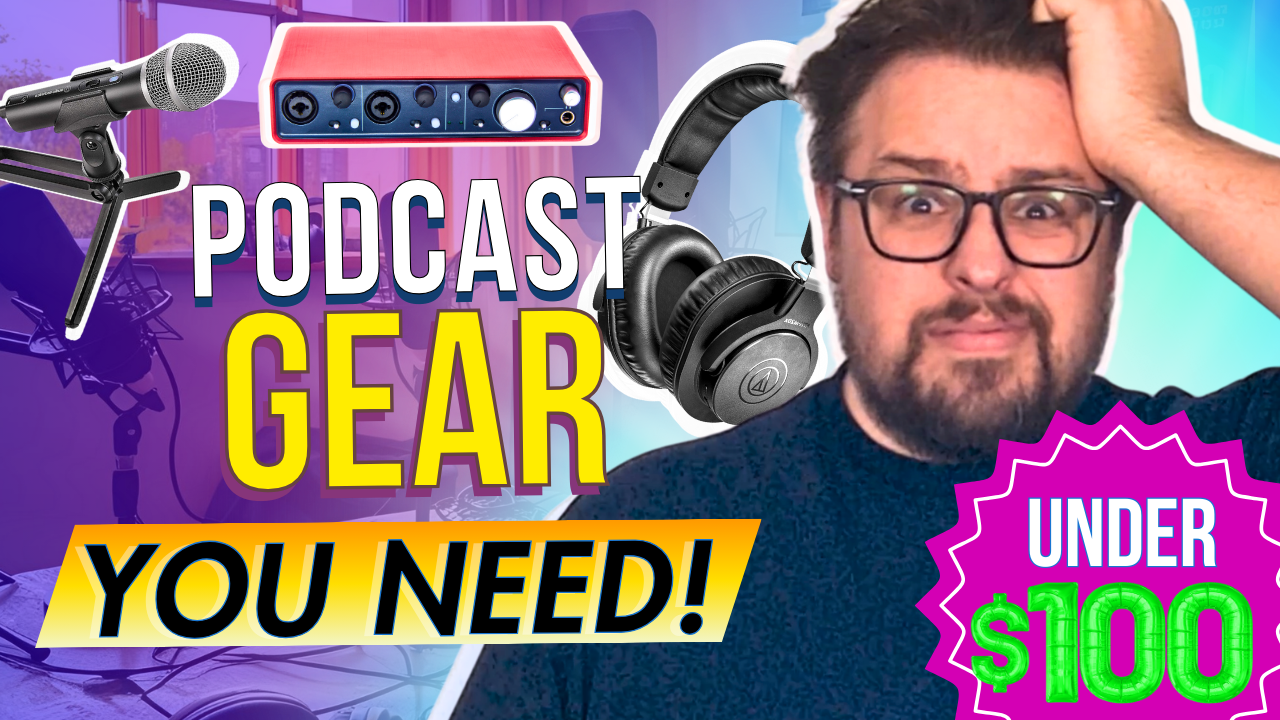
    This informative video guide walks through essential podcast equipment for those starting on a budget. The presentation focuses on five key areas: microphones, headphones, audio interfaces, editing software, and audio mastering. Blubrry tech analyst Dave Clements emphasizes that quality podcasting is possible without breaking the bank, highlighting affordable yet professional-grade equipment options that all come in under $100 for essential components.

    “Starting a podcast doesn’t have to be expensive. You don’t need a massive studio or top-of-the-line gear to create a great-sounding show,”  he tells us. In the embedded video, Dave walks you through the best podcast equipment for beginners—all for under $100.

    “Whether on a tight budget or just testing the waters, these affordable options will help you get started without breaking the bank.”

    Essential Podcast Equipment for Beginners

    The equipment needed to launch a podcast doesn’t have to break the bank. In fact, you could start a podcast using simply your smartphone and some free audio editing equipment such as Audacity. That said, quality of content is key when it comes to building a successful podcast. Thus, here’s a comprehensive guide to the basic equipment will want to launch your show with professional sound quality.

    Core Equipment (prices may vary)

    “The most important piece of podcasting equipment is a good microphone. And you don’t have to spend a fortune to get quality sound.”

    1. Microphone ($50-$300)

    The microphone is your most crucial investment. Popular entry-level options include:

    • Blue Yeti USB Microphone ($130) – Excellent all-around USB microphone with multiple pattern settings
    • Audio-Technica ATR2100x-USB ($99) – Dynamic microphone that reduces background noise
    • Rode PodMic ($99) – Professional-grade dynamic microphone requiring an audio interface

    2. Headphones ($50-$200)

    “Headphones are necessary since they help you to hear yourself and help control your speaking clarity. They also help you catch background noise, mic pops, or any weird audio issues before they ruin your recording.”

    Closed-back headphones are essential for monitoring your audio. Recommended options:

    3. Audio Interface ($100-200)

    Required for XLR microphones:

    • Focusrite Scarlett Solo ($120) – Popular single-input interface
    • PreSonus AudioBox ($100) – Reliable dual-input option

    4. Recording Software (Free-$300)

    Several options are available depending on your needs:

    • Audacity (Free) – Perfect for beginners
    • GarageBand (Free for Mac) – User-friendly with good features
    • Hindenburg ($95) – Designed specifically for podcasting

    Additional Accessories

    “Even with a great mic, your audio may need some fine-tuning. That’s where Blubrry’s Media Mastering, powered by Auphonic, comes in.”

    And don’t forget these important extras:

    • Microphone stand or boom arm ($20-$40)
    • Pop filter ($10-$20)
    • XLR cables (if using XLR microphone) ($15-$30)
    • Shock mount ($20-$40)

    Total Investment

    • Basic Setup: $200-500
    • Professional Entry-Level Setup: $500-$1,000

    Next Steps: Upgrading Your Setup

    “Once you’ve recorded your episode, the next step is editing. The good news? You don’t need expensive software or years of experience to make your podcast sound professional.”

    Once your podcast is established, consider these upgrades:

    Advanced Equipment Upgrades

    While somewhat rare, many of these companies do offer sales and discounts throughought the year. A few years back MacKenzie from the team bought the new Shure SM7B on sale at Podcast Movement (they had their own booth!). And while it was a pretty penny upfront, she hasn’t made an issue with it since the day she bought the microphone.

    Studio Improvements

    • Acoustic Treatment: Sound panels and bass traps ($200-500)
    • Multiple Microphone Setup: For in-person guests ($500-1000)
      • P.S. Soon, we’ll make finding and even becoming a top-rated guest easy with our Guest Match Pro service! Stay tuned!
    • Mixer: Rodecaster Pro II ($699) or Zoom PodTrak P8 ($499)

    Remember, while good equipment is important, content remains king. Start with the basics and upgrade as your audience and needs grow. Focus on creating engaging content and maintaining consistent audio quality before investing in advanced equipment.

    Choosing the Right Podcast Host

    Selecting the right podcast hosting platform is crucial for your podcast’s success. A reliable host like Blubrry Podcasting provides essential features that help manage and grow your show effectively. Professional hosting platforms offer secure file storage, bandwidth management, and detailed analytics to track your audience’s engagement. With Blubrry Podcasting, you get access to industry-trusted statistics and comprehensive overviews of your podcast’s performance, allowing you to make data-driven decisions about your content strategy. Additionally, a professional hosting service ensures your episodes are distributed reliably across all major podcast directories and provides the necessary RSS feed management tools to maintain your show’s presence across platforms.

    Pro Tip: Consider investing in a backup recording solution and extra cables. Technical issues can arise at any time, and having backups ensures you never miss recording an episode.

  • Updates to Blubrry’s Audio Player Have Arrived

    Updates to Blubrry’s Audio Player Have Arrived

    Offering Chapters and Improved Closed Captions for All Hosting Podcasters

    Blubrry has always been at the forefront of innovation, constantly updating to include the most useful advancements for your podcast. We improved the best parts – such as closed captions, sharing and subscribing options, playback speeds, and episode artwork – and added a handful of new features listed below.

    Users will notice a new sleek and intuitive user interface and a minimalist look that pleases the eye and enhances useability. Designed with the listener in mind, the new player ensures that navigating through episodes, accessing show notes, and adjusting speed and closed captions is an effortless experience.

    New Player Features

    • Chapters! We’ve added chapter markers for those who utilize the chapter tag
    • A new, sleeker look that is also easier on the eyes, such as for those with vision impairment
    • Credits and additional info if a listener wants to add more information exclusive to that episode
    • A cleaner look for our closed captions/transcriptions
    • More straightforward navigation for sharing and subscribing to the podcast

    We constantly consider what new advancements we can add to our wide range of podcasting tools. We will continue to implement Podcasting 2.0 updates to the player offering podcasters new ways to engage with their audiences and an enhanced experience for listeners.

    The latest look, features found on the right hand side.

    For those unfamiliar with the old player, we kept the following…

    • Subscribe options for listeners to subscribe to the show easily
    • Options to share the episode with friends via social media platforms or email
    • Download the episode file immediately
    • Closed captions! Follow-along transcriptions are included in the episode player
    • Rewind and fast-forward
    • Audiences can play the episodes at their preferred speed
    A cleaner look for all of the menu options, including Share.

    For podcasters in search of a seamless audio experience, the new Blubrry player is poised to transform how your listeners engage with your podcast. Rest assured that the player is reliable and compatible across a wide range of web browsers and mobile devices for listeners and creators utilizing Blubrry’s transcription and closed caption features.

    Our audio player is available exclusively to Blubrry hosting customers. Podcasters can review their player settings under Manage Show – Player in the Podcaster Dashboard or under Player within PowerPress. For those who would like to learn more about the ever-evolving audio player, check out our page here.

  • A Toast to Good Friends and Spirited Conversations

    A Toast to Good Friends and Spirited Conversations

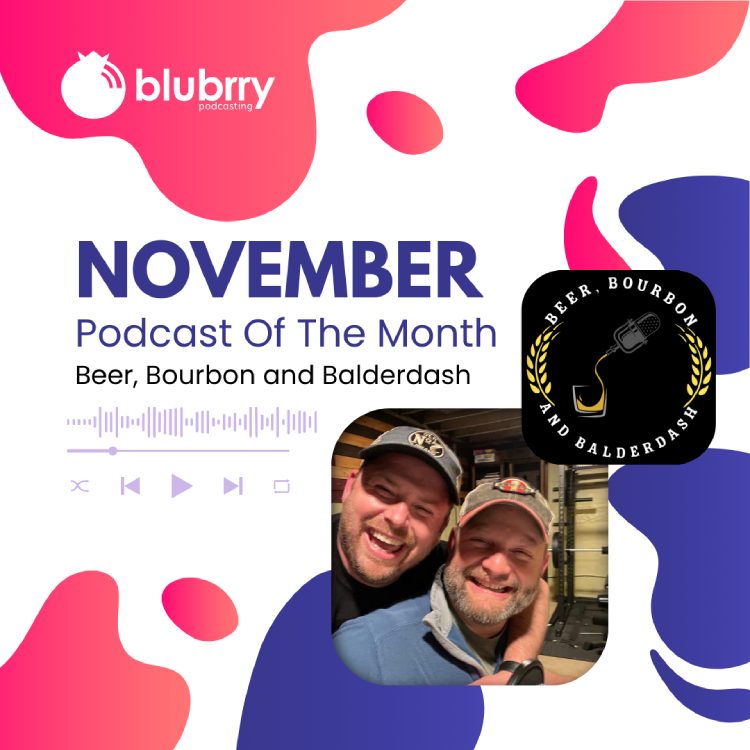
    Beer, Bourbon and BalderdashThere’s not much that could top two great friends getting together to BS about the state of the world and other timely – or even untimely – topics. Unless, that is, you add craft beer and fine bourbon to that conversation to come up with an audibly intoxicating podcasting recipe. And for the foam on top? Toss in Podcasting 2.0 features for an absolutely tantalizing podcast. Those are the ingredients for Beer, Bourbon and Balderdash, compliments of our November Podcasters of the Month, Wes Olsen and John Harrison.

    Although launched in February 2022, the duo’s friendship goes back a decade when they met at their sons’ soccer games. “We immediately made each other laugh and since then our families have become very close; we are family,” Wes said.

    The hosts explained that Beer, Bourbon and Balderdash came about, “as many things do, while drinking and having spirited conversations (pun intended)” . . . you know, bar talk. 

    “We thought it would be fun to start a podcast where we drink and give our takes on all kinds of topics,” Wes said. “Since John and I don’t always agree, we also thought it was important to have people listen to what it sounds like to disagree but remain friends. I also think we agree people generally are more alike than different.”

    Outside of the podcasting universe, Wes and John say they’re just a couple of Joes loving their families and enjoying life as much as they can. Wes, who identifies as a conspiracy therapist, enjoys spending time with his wife vacationing and street photography (check him out at @wesolsenphotography on Instagram).

    John, who describes himself as Fun Boy, is into building and fixing things, and getting tons of satisfaction out of helping people. “I was fortunate enough to grow up in a house with a father who seemed to know how to fix almost anything and passed that skill on to me,” he said. “I love working side by side with my wife, and the two of us have taken on everything from kitchen remodels to decks and patios, to building our own off-grid cabin in central Washington.”

    • How do you choose which alcohols you feature on your shows? Do people contact you and ask you give theirs a try? Have you ever had to call any out for being really horrid?

    We choose by what’s available and what sounds interesting to try. We haven’t had anyone reach out to us to review their products but we have received a bottle of whiskey from a No Agenda producer, that thankfully ended up being really good. We also have had some stinkers on the podcast and we try to find something good about them, but because we have no corporate sponsorships (Value4Value!) we can be honest!

    Since beer can be very seasonal, we will often select ones that fit the time, like Oktoberfest. Or sometimes it fits the theme because of a clever name.

    • In addition to beer and bourbon, you touch on topics such as mental health, conspiracy theories, extraterrestrials and some of the most outrageous and ill-conceived ideas known to humanity. How do you balance the juxtaposition of fun,  flavorful discussion with more intense conversations?

    Beer and bourbonSince we see ourselves as a “Bar Talk” podcast we want to be mostly entertaining and light. We touch on topics that we find thought provoking and maybe our audience will too. In the end we want to make something we enjoy and maybe can bring a smile for an hour a week to someone else.


    • You livestream your show and audiences can chat with you throughout. What are advantages and disadvantages to live-streaming?

    Advantages of live-streaming is getting immediate feedback and engagement from our listeners. Meeting new people and hanging out with old friends is what’s at a bar and the more we can create that type of show the better it will be. 

    The disadvantages would be the technical issues that can arise that your audience has to listen to, which can be long and tedious.

    • You guys have adopted Podcasting 2.0 – well done – while a lot of hosts are still trying to figure out what it’s all about. Can you tell us more about how you are using Podcasting 2.0, which features you are consistently using and how they benefit you? Do you have a wish list for what you would like to see in Podcasting 2.0 or in podcasting in general?

    It is amazing to me how many “mainstream” and “popular” podcasts have not jumped on to Podcasting 2.0. There are so many cool benefits that they could use that would allow them to have a bigger impact on their audience. I wouldn’t say we are very popular, but we have a good base and we want to give them value by adding chapters and some artwork while they listen. As we continue to grow and go live more often, the “live tags” in Podcasting 2.0 apps become even more essential. If live chat could be integrated into that it would propel this even further.

    • What is your preparation routine as you’re planning your next episode(s)? Do you have – and how do you approach – a recording schedule?

    Wes: We usually send texts throughout the week about topics and then I create some talking points to help keep us engaged and on track. John created a tracking sheet to record what beers and bourbons we have had and will use on the podcast so that helps a lot. Right now we go live and record on Wednesdays at 4pm PST because with us being bi-costal that seems to work best.

    John: I think we are still getting it figured out. We are constantly trying to figure out ways to better engage the audience and make the show better. For example we have typically decided what to drink week to week, but recording remotely requires us to plan much further out, forcing us to get better.

    • Anything coming up you’d like our Blubrry audience to know about with Beer, Bourbon and Balderdash?

    Wes: We would like to invite the Blubrry audience to check out the podcast and reach out to us with comments and suggestions. We like constructive criticism and we even take calls on the podcast so the audience can participate. So just like going to a bar, come hang out with us and let’s make new friendships! Cheers!

    John: I second that. We try to be as honest and authentic as possible. We have been told by friends who listen that the podcast has the same feel as when we are just sitting around as friends chatting.

    We like interactions and don’t take criticism personally. If you love it, tell us. If you hate, tell us. We don’t want our show to be homogenous, average, and boring. And much like bourbon, we know we are not for everyone.

    Get to know and follow Beer, Bourbon and Balderdash here:

  • The Biggest Benefit of Clubhouse for Podcasters

    …Versus it’s Biggest Shortcoming

    Clubhouse app on iphone and headphonesClubhouse, a “drop-in audio chat,” offers podcasters an innovative marketing opportunity. A key component of marketing is to know your audience and part of knowing your audience is to go where your audience is. Launched about a year ago, Clubhouse’s exponential growth of users continued throughout February 2021, with corporate heads dreaming of becoming the next Facebook, Twitter or Instagram.

    Clubhouse users are people accustomed to listening to audio content on their phones and other iOS devices, and would probably enjoy your podcasting content.

    How can you use Clubhouse to your advantage? Simply, be in front of people on Clubhouse offering value and encourage people to go check out your podcast. To do this, quickly learn the Clubhouse etiquette and start hosting rooms. The Australian company Impactiv8 has created maybe the best overview of Clubhouse’s history and etiquette. After reading the article, you’ll be ready to host your first Clubhouse room.

    What should you present? How about talking about whatever you talked about on your most popular podcast episode? What should you title your room? How about “[Insert your name here] talks about [insert topic here].” And then just talk. With 10 million Clubhouse users, someone will come and listen to what you have to say. If you make sure to mention your podcast a few times, people will go over and check out your show.

    Here is the not-so-good news… At this point, you need to be invited to Clubhouse by an existing user, so you’ll need to know a member before you can become one. One way of finding a member is to sign up and then access your contact list, which isn’t ideal. Clubhouse also is a listen-live-only platform. What you share with your room is streamed and people need to be in your room on Clubhouse to hear it. This is contrary to the Blubrry Way. Blubrry strongly believes you should own your platform and control your listener’s experience, including access to the information you want and need at all times.

    With that in mind, definitely check out Clubhouse as a means to promote your podcast. But keep your focus on your podcast audience and continue to offer them high quality, all-access content that they expect from your podcast.

    If you have trouble balancing the time needed to make a high quality podcast and the time needed to market your podcast effectively, consider outsourcing the technical aspects of your podcast (including post-production editing and writing expert show notes), with Blubrry’s Professional Podcast Production Services.

  • Building Your Show – Your Podcast 012

    Building Your Show – Your Podcast 012

    Podcast Movement is this week, the importance of building YOUR show, the Blubrry Affiliate Program, Sound Devices’ MixPre-6, and migrating to Blubrry. Todd and Mike cover all these topics and more on today’s, Your Podcast.

    Thanks for listening to the show and please subscribe at PowerPressPodcast.com. We love our PowerPress users, please leave us a review.

    News:

    • Podcast Movement – Starting on Wednesday, if you can make it, use the promo code BLUBRRY at checkout for a 10% discount. There are still tickets left, join us there!

    Topics:

    1. Blogging and show notes – Write a blog post (show notes) for each episode and write posts that are similar to your topic in-between episodes of your podcast. Doing so builds SEO for Google and other search engines. It also gives your listeners something from you on the off times.
    2. Get local – Offer to speak at groups in your area community about your topic. There are a lot of groups out there that need guest speakers. It’s a way to get your name out there out in your community. It’s also a great way to get your name out there as a subject matter expert.
    3. TV and Radio in your area – Reach out to the local broadcasters. Offer to appear in their newscasts or shows to talk about your subject. It could lead to bigger media contacts in the national or international media on your topic.
    4. Writing – Consider writing a book or e-book. Being published in your field can be a great way to earn the title of subject matter expert.
    5. Keep listening – Lots more small tips in the episode.

    Support:

    • Migrating to Blubrry – Blubrry WordPress Website (Free or Deluxe) is the easiest way. ‘Import Podcast’ and ‘Migrate Media’ will move your posts and content to Blubrry in a few easy steps.
    • Stats at Blubrry – How they work. We explain the delay between when an episode is posted, and when it shows up in the stats dashboard.
    • Email address changes – Why we have to do it for you. Just contact us at support@blubrry.com to change your login email at we-moved-the-blog-to-this-site-when-we-made-a-new-website.blubrry.com/.

    To ask questions or to comment on the show, contact Todd and Mike here: yourpodcast@blubrry.com. Note: This week might be a little slow on support. Most of our support team will be at Podcast Movement in California and will have limited access to email and phone.